Soaria
Eine Gieß-App für Zimmerpflanzen, die ich für meine eigenen Pflanzen baue. Sie sagt dir, welche Pflanze heute Wasser braucht — mit Winterpause, Stecklingen im Wasserglas und einem Gießdurchgang Raum für Raum. Kostenlos, ohne Konto, ohne Werbebanner, und deine Daten bleiben auf deinem Handy.
A watering app for houseplants that I'm building for my own plants. It tells you which plant needs water today — with a winter rest, cuttings in a glass of water and a watering round room by room. Free, no account, no banner ads, and your data stays on your phone.
Warum ich Soaria baueWhy I'm building Soaria
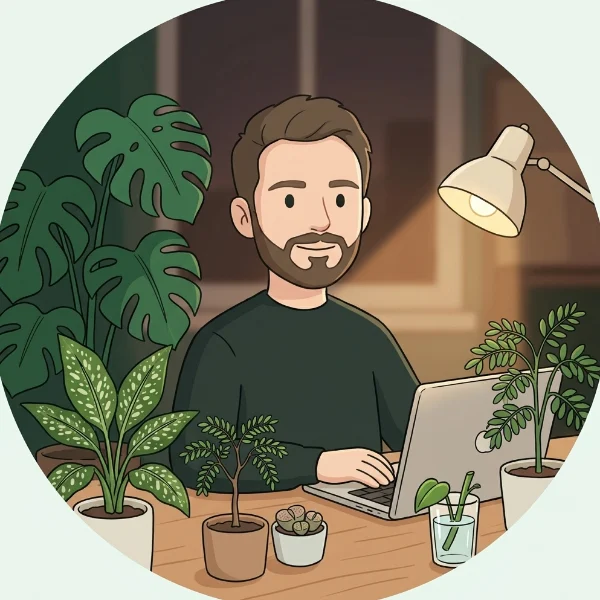
Heiko · KI-Illustration, kein FotoAI illustration, not a photo
Hey, ich bin Heiko, der Mensch hinter Soaria. Gelernt hab ich Fachinformatiker für Systemintegration, mittlerweile programmiere ich aber hauptsächlich. Ich hab Familie mit Kindern, deshalb entsteht Soaria abends und nachts, wenn alle schlafen. Angefangen hat es, weil ich KI endlich mal für etwas Sinnvolles nutzen wollte. Inzwischen steckt da fast meine ganze Freizeit drin, über 200 Sitzungen seit April. Für mich ist das Hobby und Ausgleich in einem geworden, weil jeden Abend etwas vorangeht.
Bei uns zu Hause war ich schon immer der mit den Pflanzen. Ich mag sie und kümmere mich gern darum, wollte mich aber nie zu tief reinfuchsen. Mittlerweile sind es 44 Pflanzen in sechs Räumen und im Büro, gern auch mal etwas Ausgefallenes wie eine Tamarinde. Genau bei den Ausgefallenen haben mein Bauchgefühl und meine gelegentliche Verplantheit aber irgendwann nicht mehr ausgereicht. Meine Lebenden Steine hab ich anfangs wohl zu oft gegossen, von zehn ist noch einer übrig, und den haben jetzt Schädlinge erwischt, die ich zu spät bemerkt hab. Meine Kinder gießen manchmal mit. Wer alt genug ist und Lust drauf hat, kriegt eine eigene Pflanze fürs Kinderzimmer und kümmert sich mit ein bisschen Hilfe selbst darum.
Eine App, die so tickt wie ich, hab ich nicht gefunden. Entweder wollten sie ein Abo, ein Konto oder mir stur vorschreiben, wann ich gieße. Ich wollte etwas, das meine Pflanzen Raum für Raum zusammenfasst, im Winter von selbst kürzertritt und auch Stecklinge im Wasserglas kennt.
Den Code schreibt eine KI (Claude), ich sag, wo’s langgeht. Bei der Pflanzen-App sind wir nach einigem Hin und Her gelandet, weil ich selbst eine brauchte. Soaria ist also vor allem mein eigenes Werkzeug, und nebenbei ein Lernprojekt. Wenn irgendwann ein kleines Taschengeld dabei rausspringt, sag ich nicht nein, mit Familie und Haus kann man das immer brauchen. Versprechen möchte ich heute nur eins: Wer aktiv testet, bekommt alles, was später etwas kostet, dauerhaft frei.
Hey, I’m Heiko, the person behind Soaria. I trained as an IT systems integrator, but these days I mostly program. I have a family with kids, so Soaria happens in the evenings and at night when everyone’s asleep. It started because I finally wanted to use AI for something useful. By now it takes up almost all my free time, over 200 sessions since April. It’s become my hobby and my way to unwind, because something moves forward every evening.
At home, I’ve always been the plant guy. I like plants and enjoy looking after them, but I never wanted to go down the rabbit hole. These days it’s 44 plants across six rooms and my office, including some unusual ones, like a tamarind. With the unusual ones, though, gut feeling and my occasional absent-mindedness stopped being enough at some point. I probably overwatered my living stones at the start. Of ten, one is left, and now it’s been hit by pests I spotted too late. My kids sometimes help with the watering. Once they’re old enough and want to, they get their own plant for their room and look after it themselves, with a bit of help.
I couldn’t find an app that works the way I do. They either wanted a subscription, an account, or to tell me exactly when to water, no questions asked. I wanted something that groups my plants room by room, eases off by itself in winter and knows about cuttings in a glass of water.
An AI (Claude) writes the code, I call the shots. We landed on a plant app after some back and forth, because I needed one myself. So Soaria is first and foremost my own tool, and a learning project on the side. If a little pocket money comes out of it someday, I won’t say no; with a family and a house, that always comes in handy. There’s just one thing I want to promise today: anyone who actively tests gets everything that will cost money later, free for good.
So sieht Soaria ausWhat Soaria looks like
Alle Bilder kommen aus meiner eigenen App, mit meinen Pflanzen und Fotos.All pictures come from my own app, with my own plants and photos.
-
Was heute dran istWhat’s due today
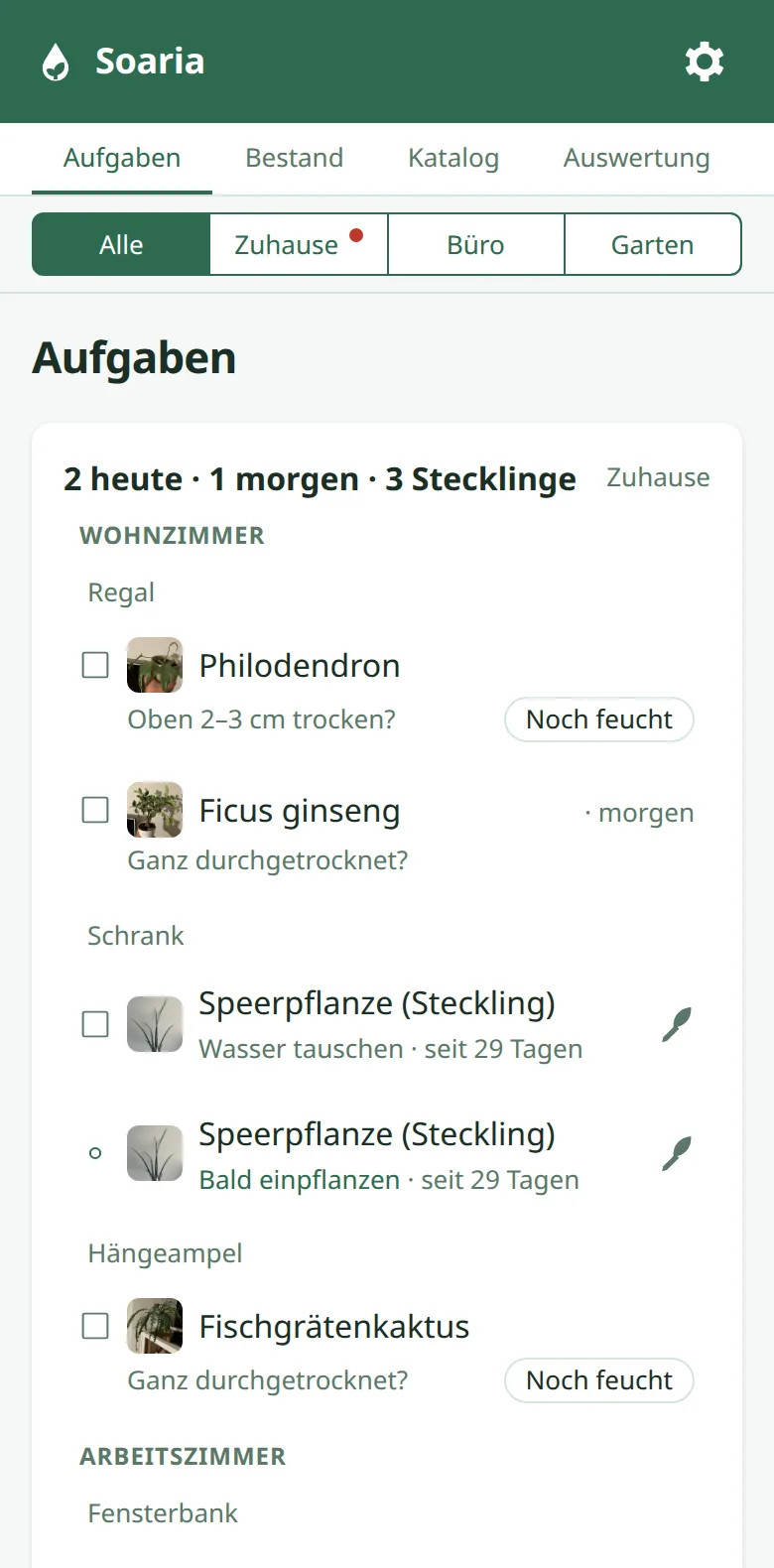
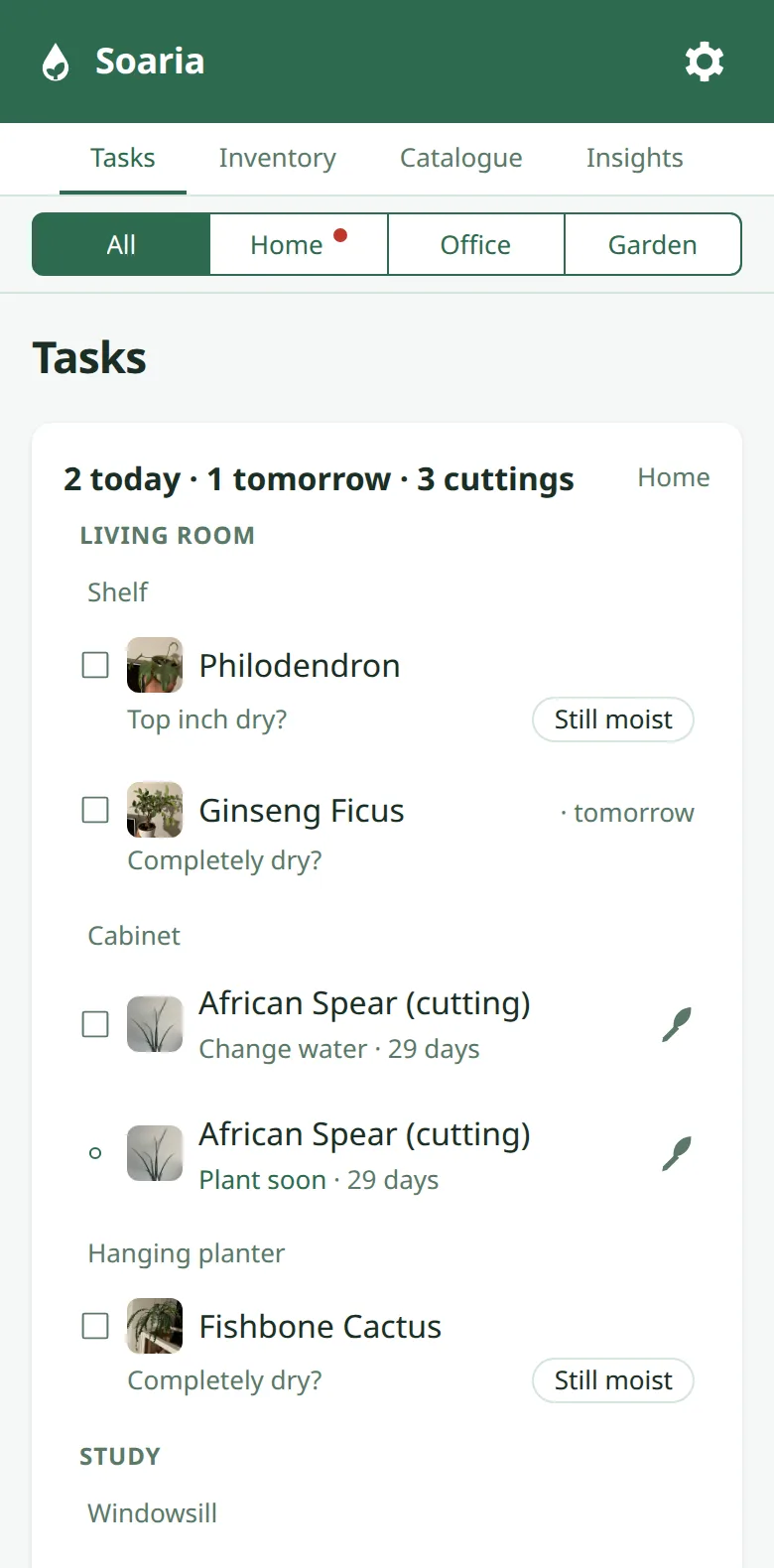
Raum für Raum und Platz für Platz, so wie ich durchs Haus gehe. Abhaken, fertig.
Room by room and spot by spot, the way I walk through the house. Tick it off, done.
-
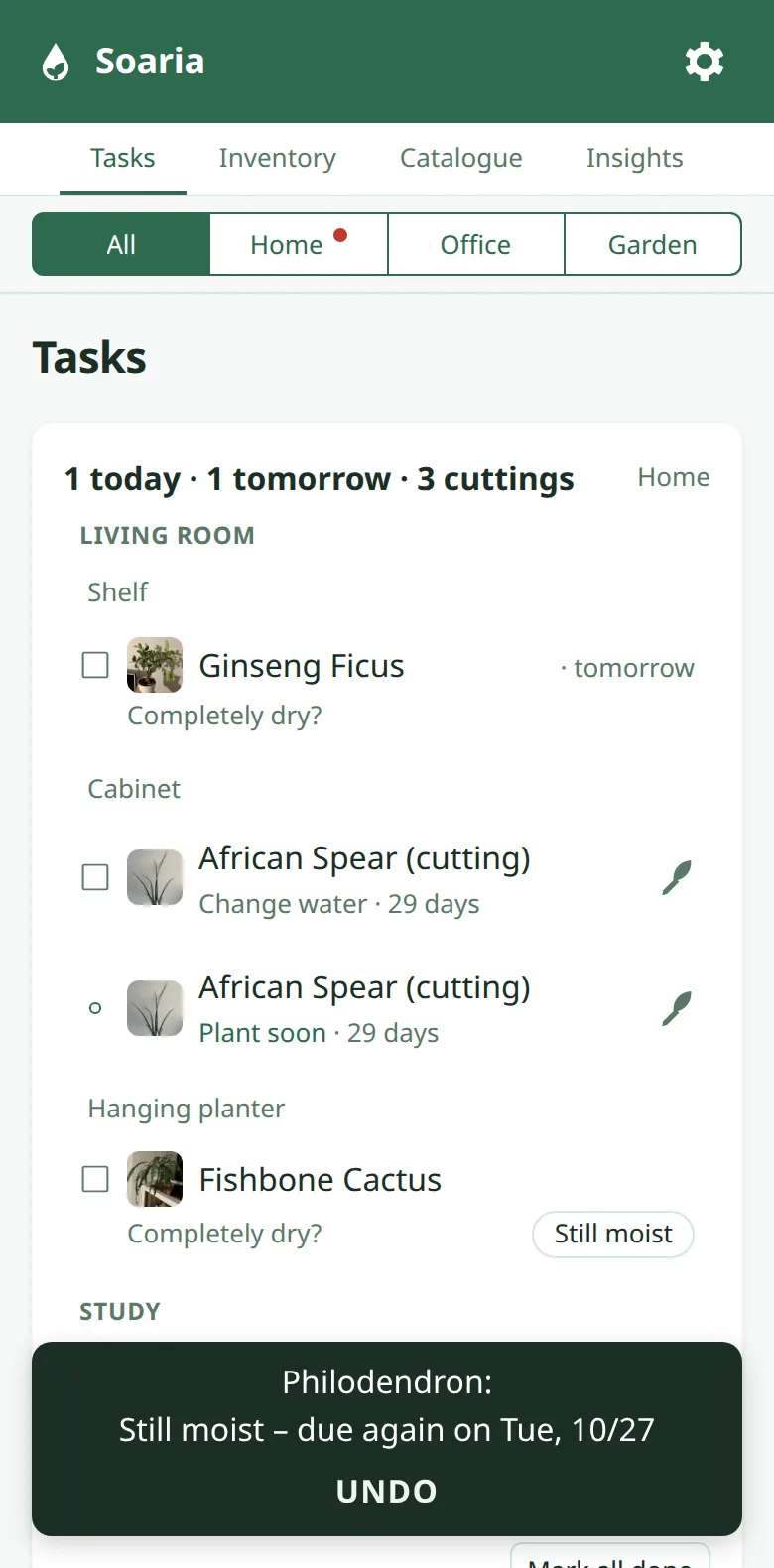
Erst fühlen, dann gießenFeel first, then water
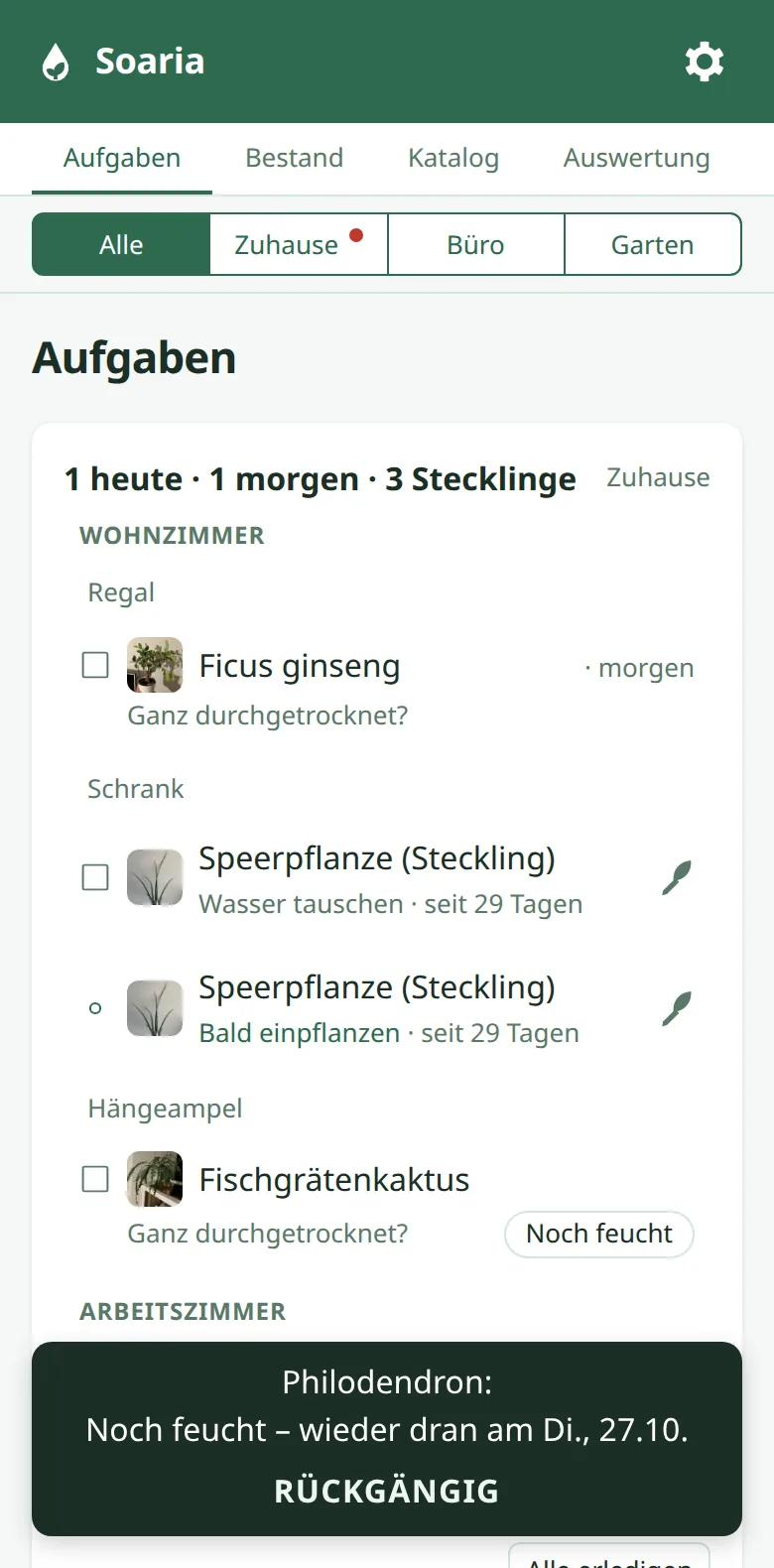
Am fälligen Tag fragt Soaria, ob die Erde schon trocken ist. Noch feucht? Dann kommt die Pflanze ein paar Tage später wieder. Passiert das öfter, passt Soaria den Abstand an.
On the due day, Soaria asks whether the soil is dry yet. Still moist? Then the plant comes back a few days later. If that keeps happening, Soaria adjusts the interval.
-
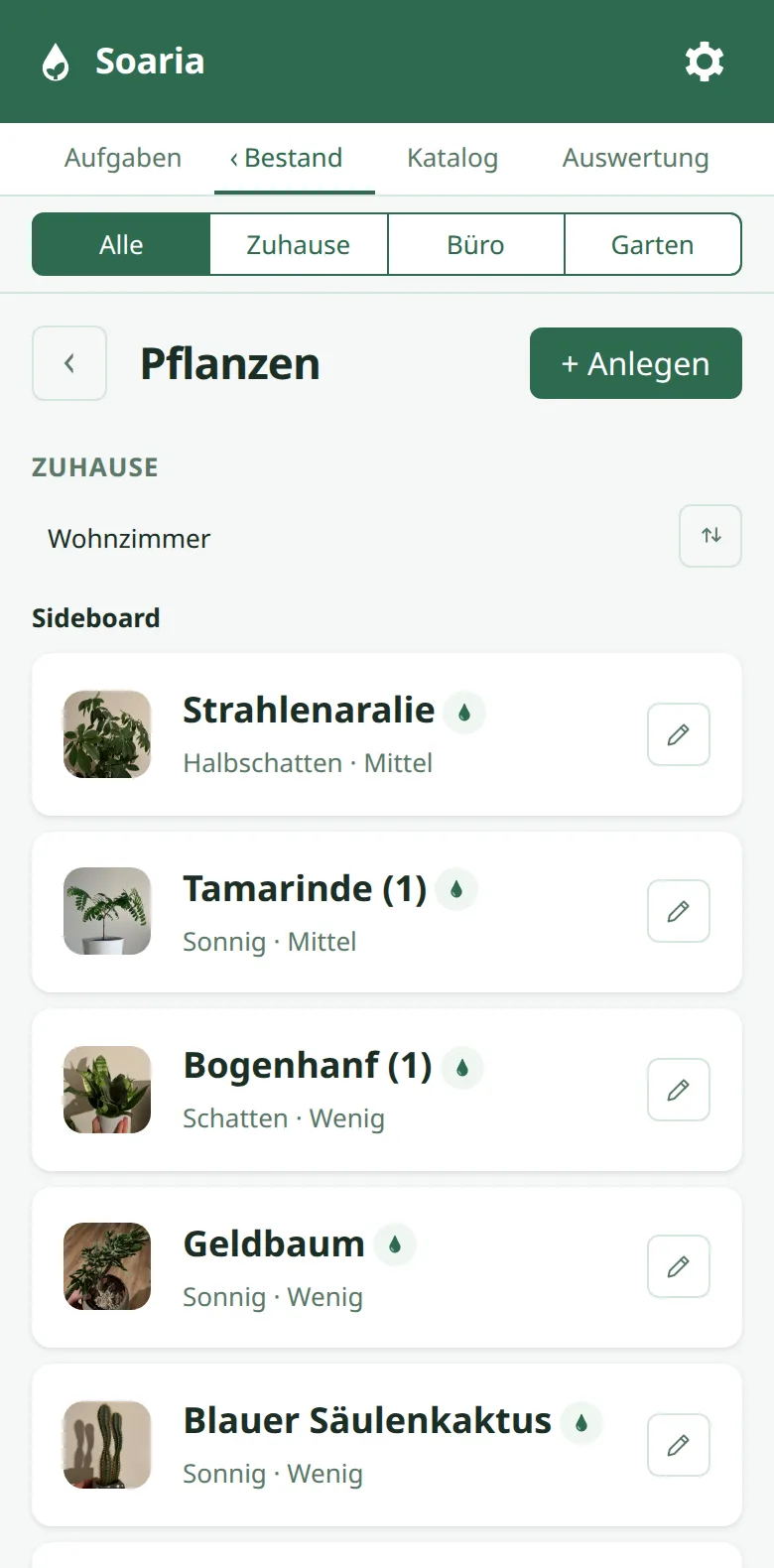
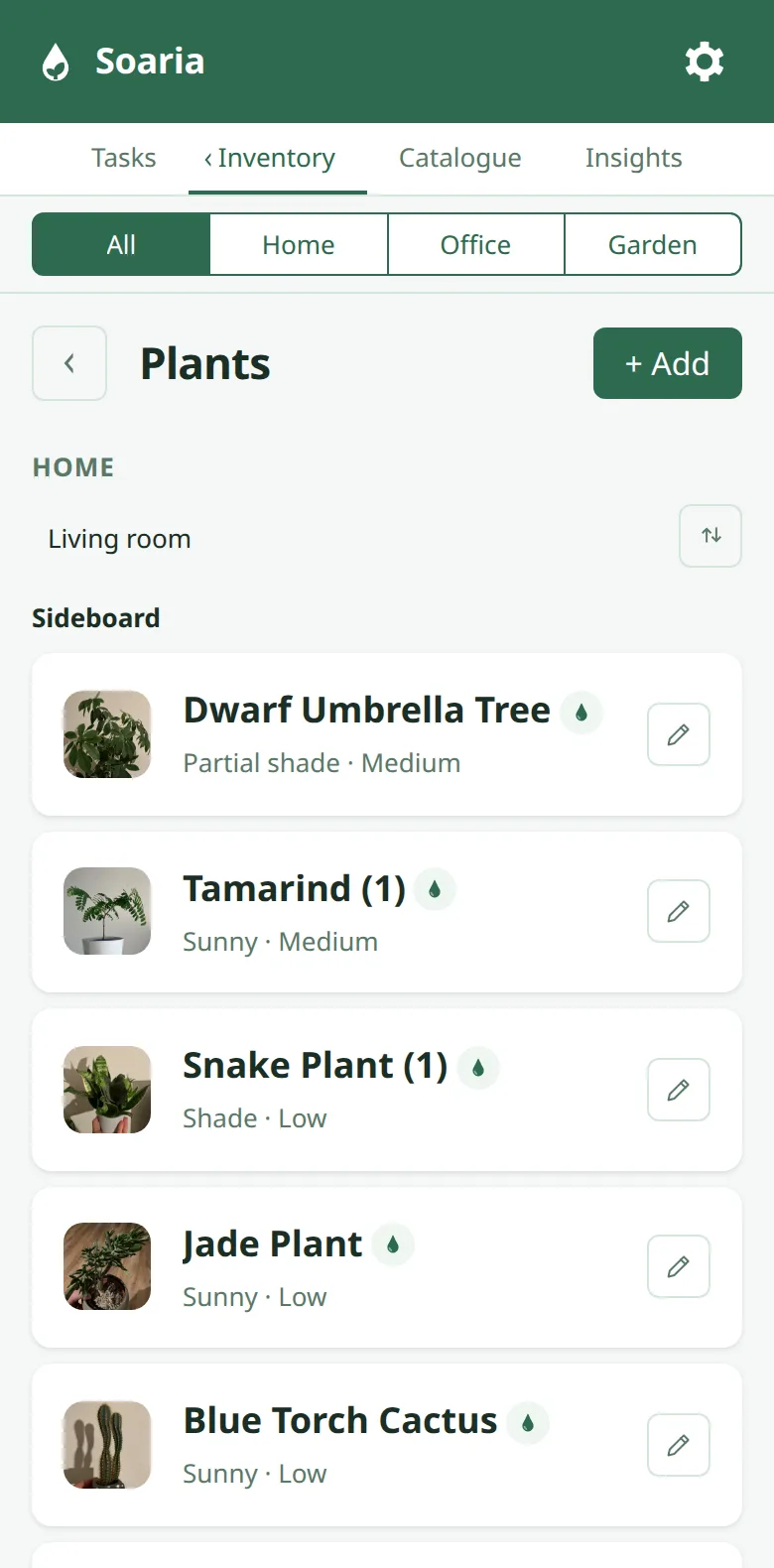
Alle Pflanzen auf einen BlickAll plants at a glance
Mit Foto, nach Raum und Platz sortiert. Bei 44 Pflanzen brauche ich das.
With photos, sorted by room and spot. With 44 plants, I need that.
-
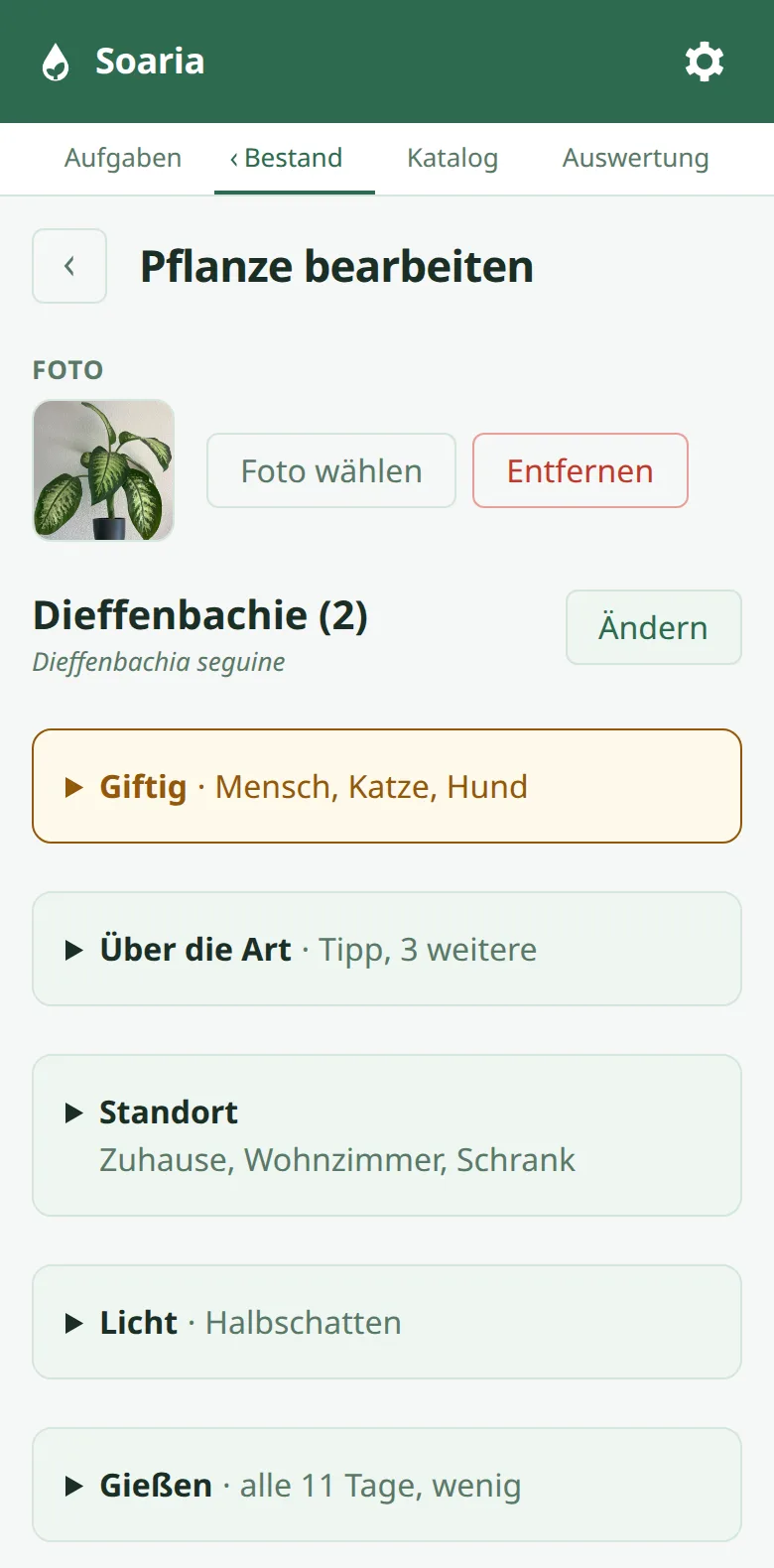
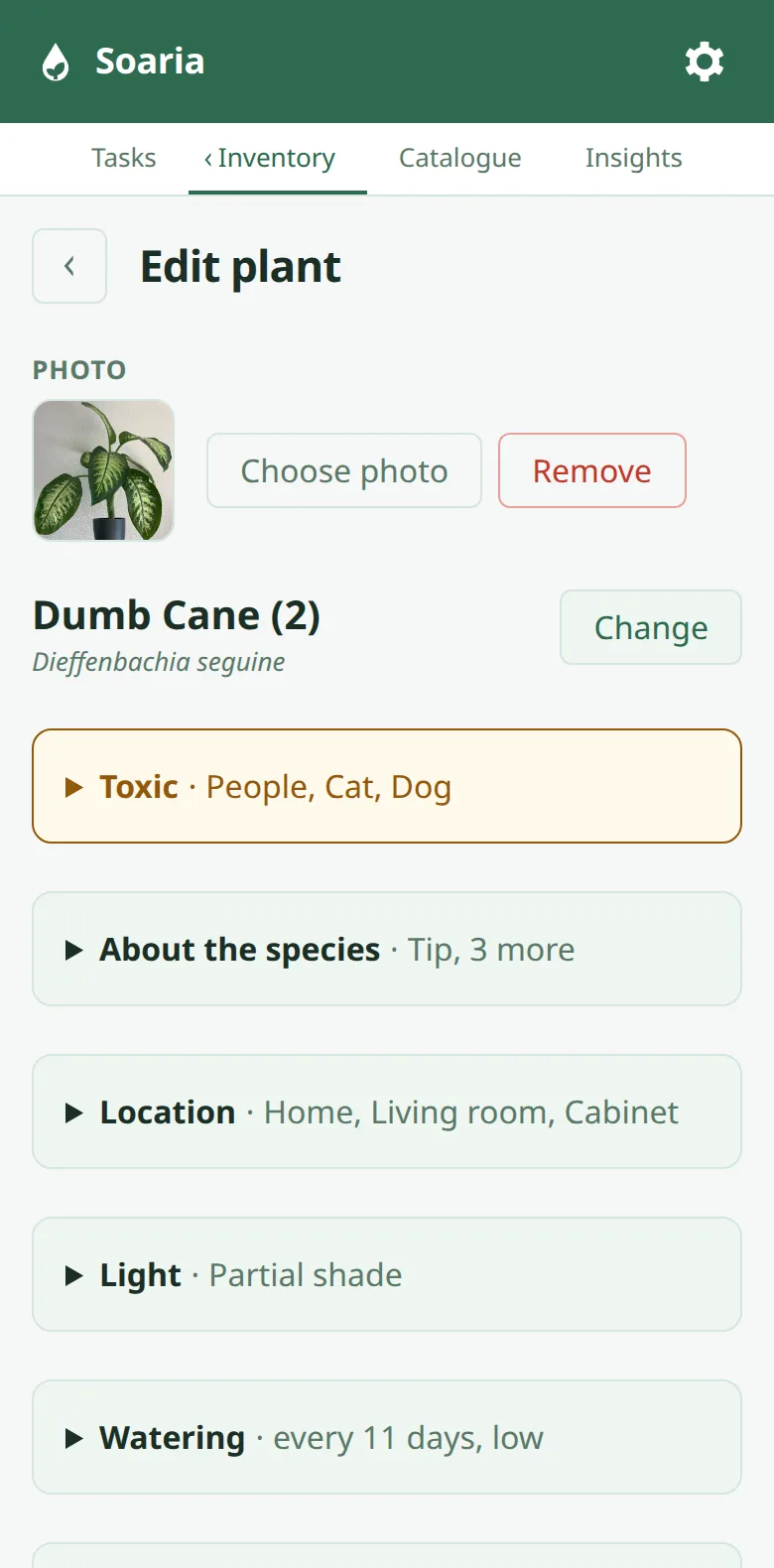
Art wählen, Werte kommen mitPick the species, get the values
Pflegewerte und Hinweise kommen aus dem Katalog, auch ob die Pflanze giftig ist.
Care values and notes come from the catalogue, including whether the plant is toxic.
-
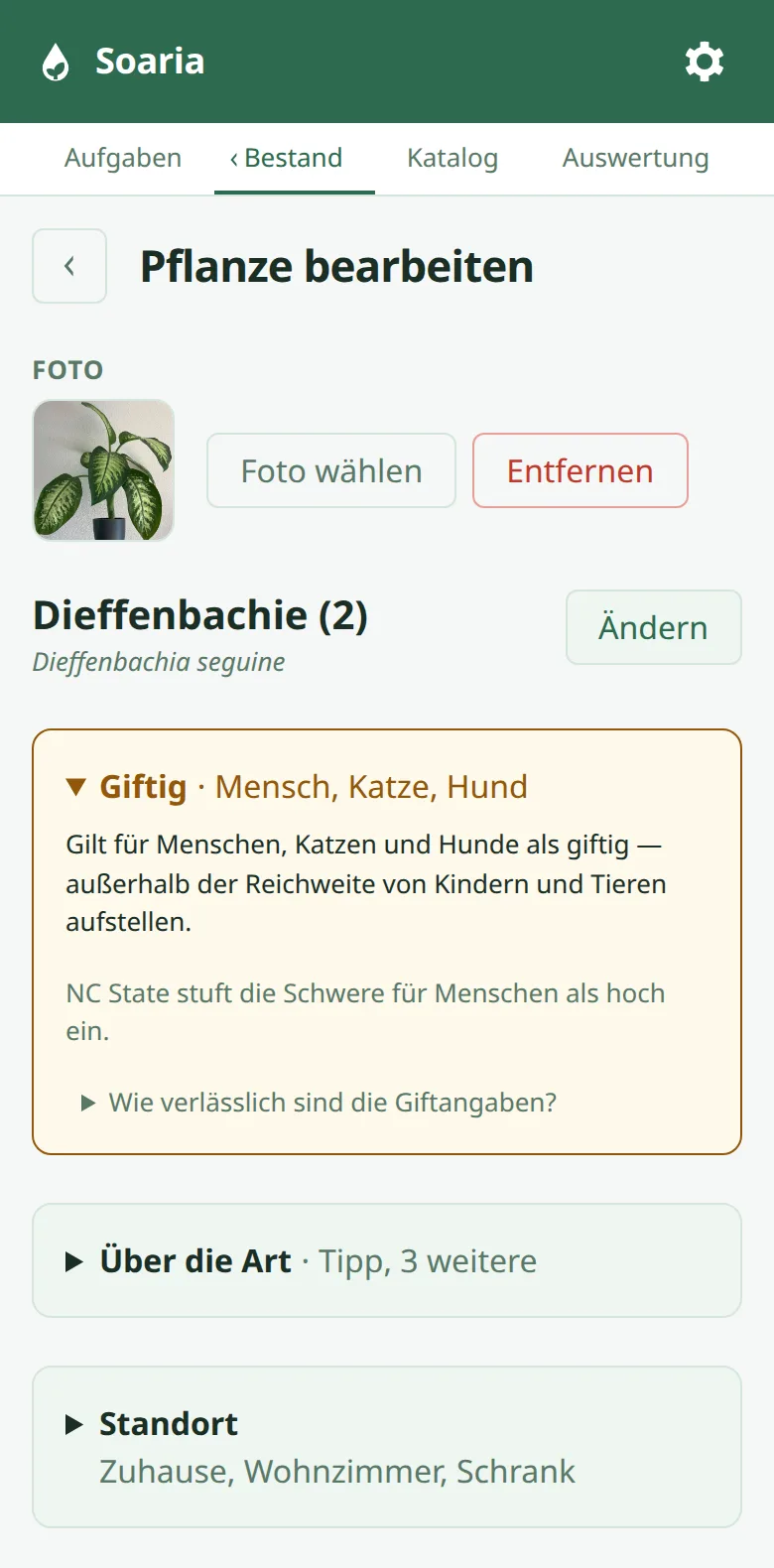
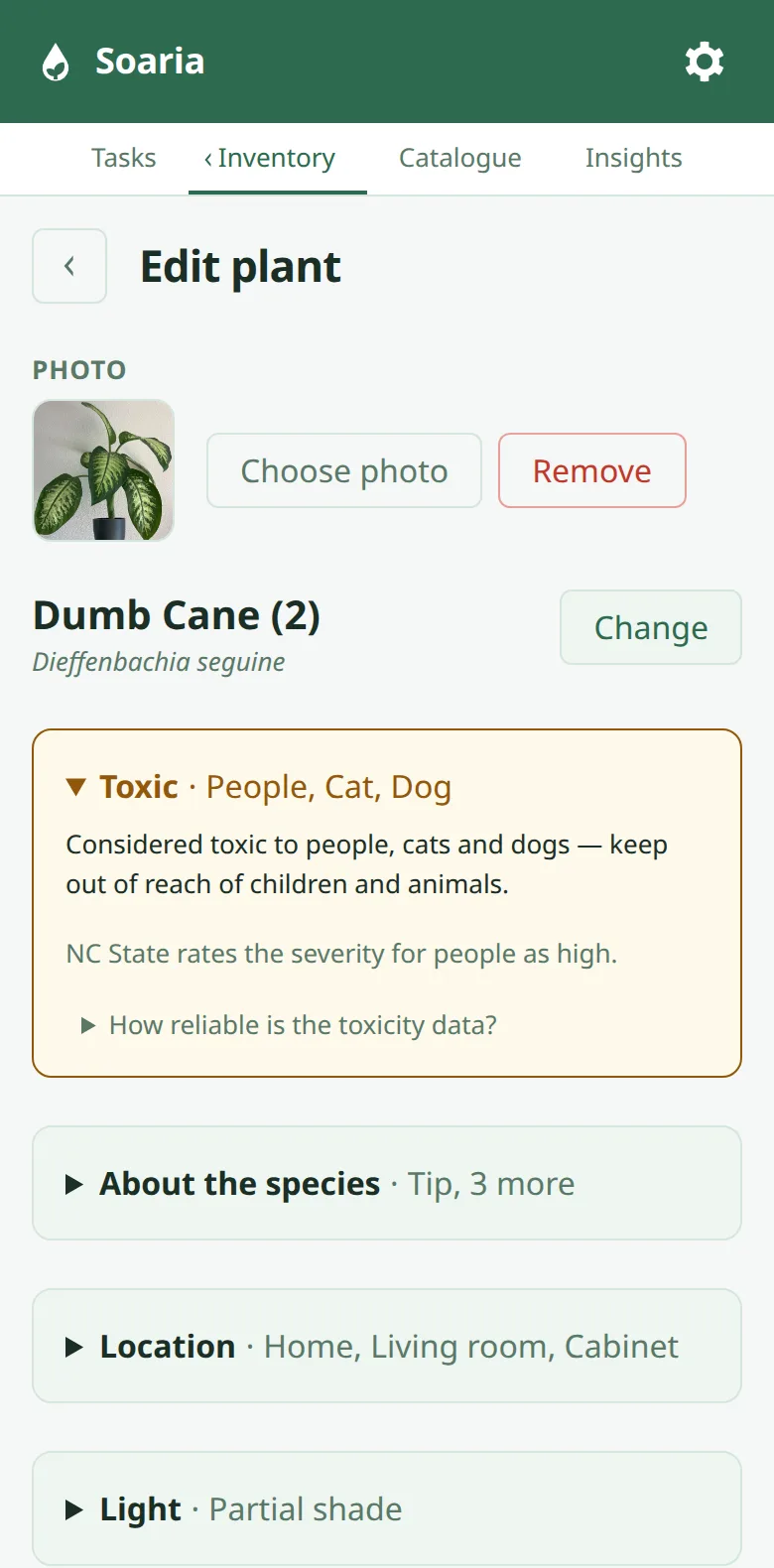
Giftig für wen?Toxic to whom?
Direkt unter dem Namen, getrennt nach Mensch, Katze und Hund, mit Quelle. Ist nichts erfasst, steht genau das da, nicht „ungiftig“.
Right below the name, listed separately for people, cats and dogs, with sources. If nothing is recorded, that's what it says, not “non-toxic”.
-
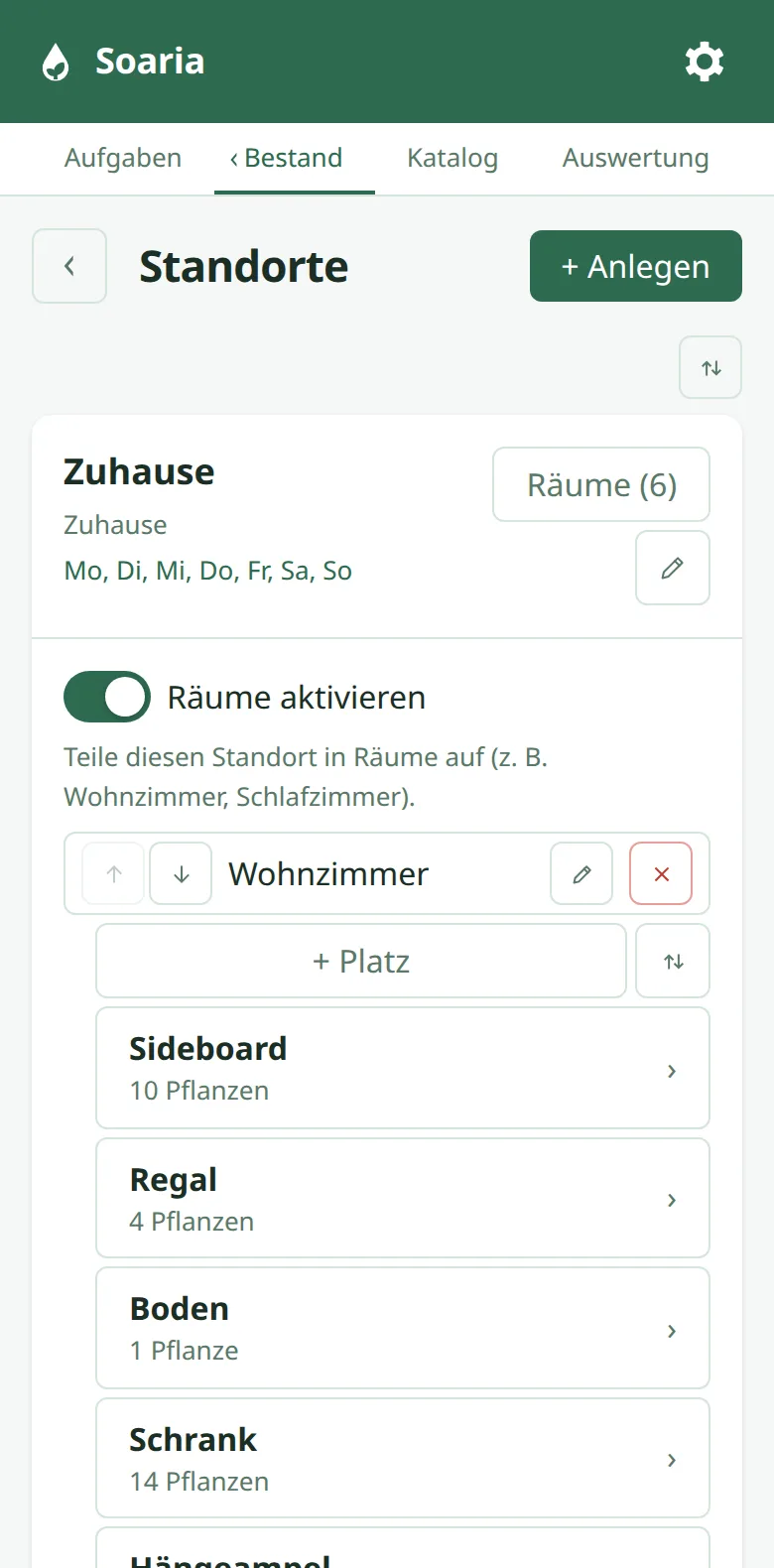
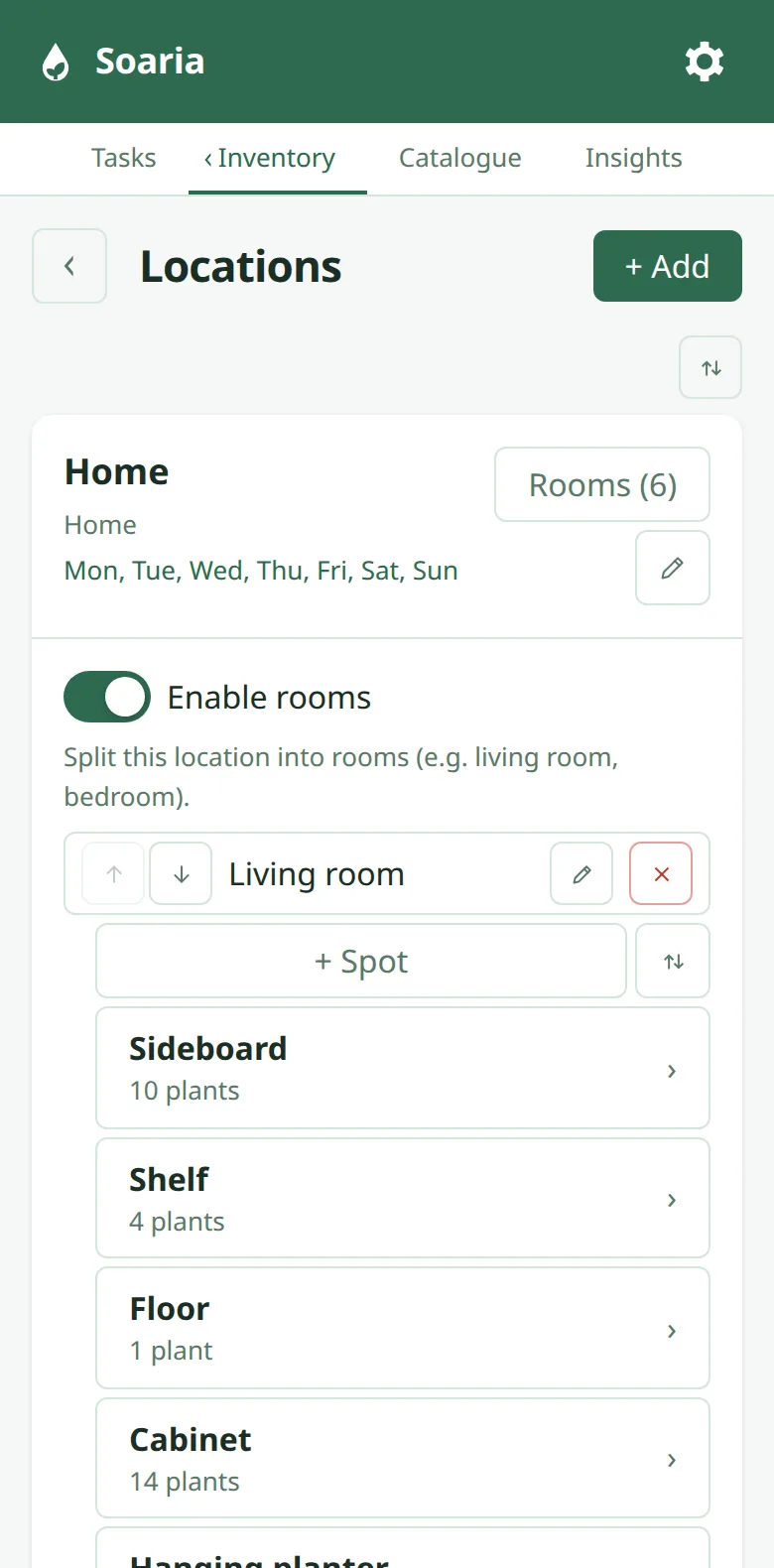
Räume und PlätzeRooms and spots
Zuhause mit sechs Räumen, darin Plätze wie Regal oder Fensterbank. Das Büro läuft als eigener Standort.
Home with six rooms, each with spots like a shelf or windowsill. The office is a location of its own.
-
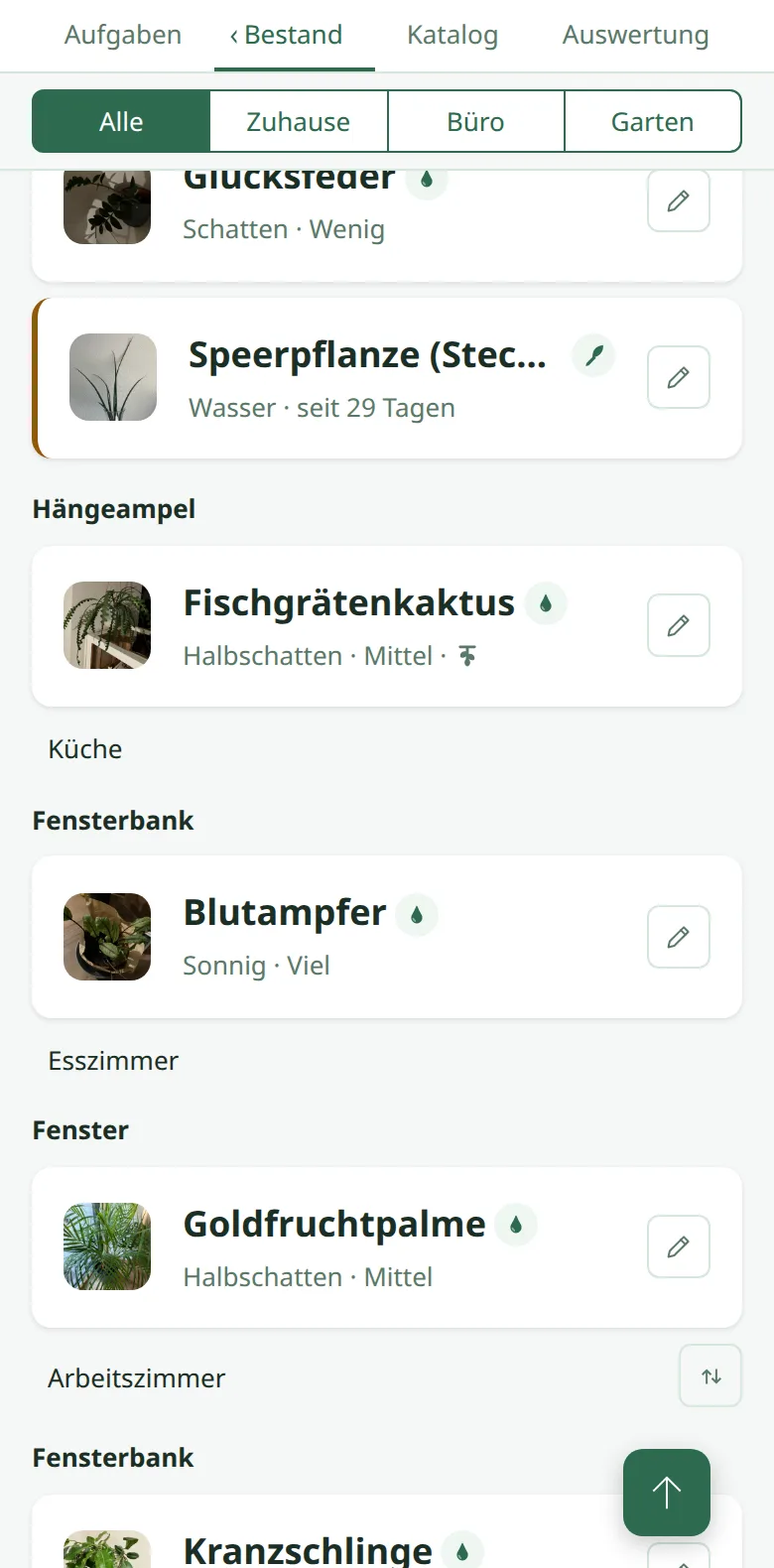
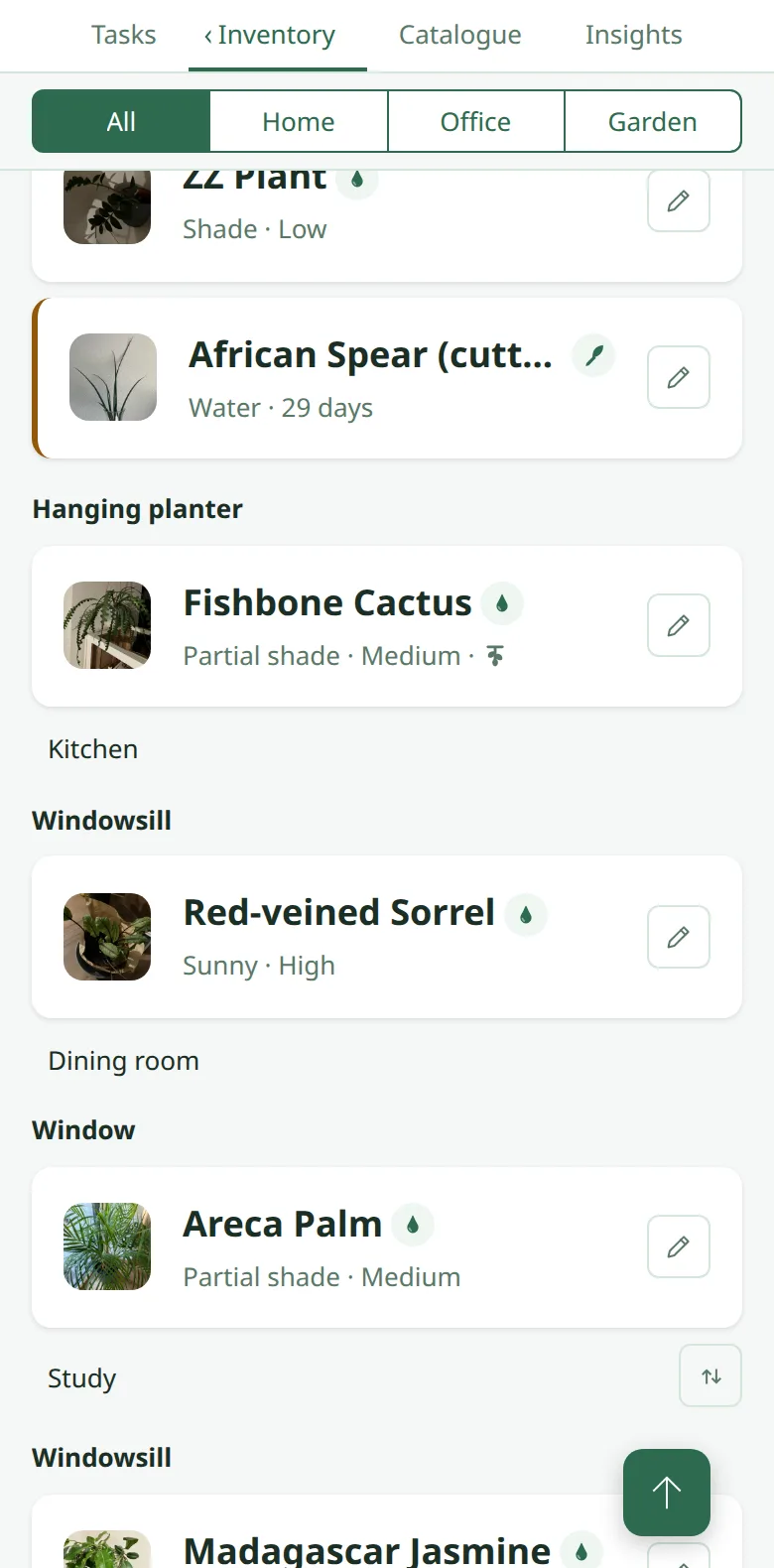
Stecklinge im WasserglasCuttings in water
Soaria erinnert ans Wassertauschen und zählt die Tage, bis es Zeit fürs Einpflanzen ist.
Soaria reminds you to change the water and counts the days until it’s time to plant it.
-
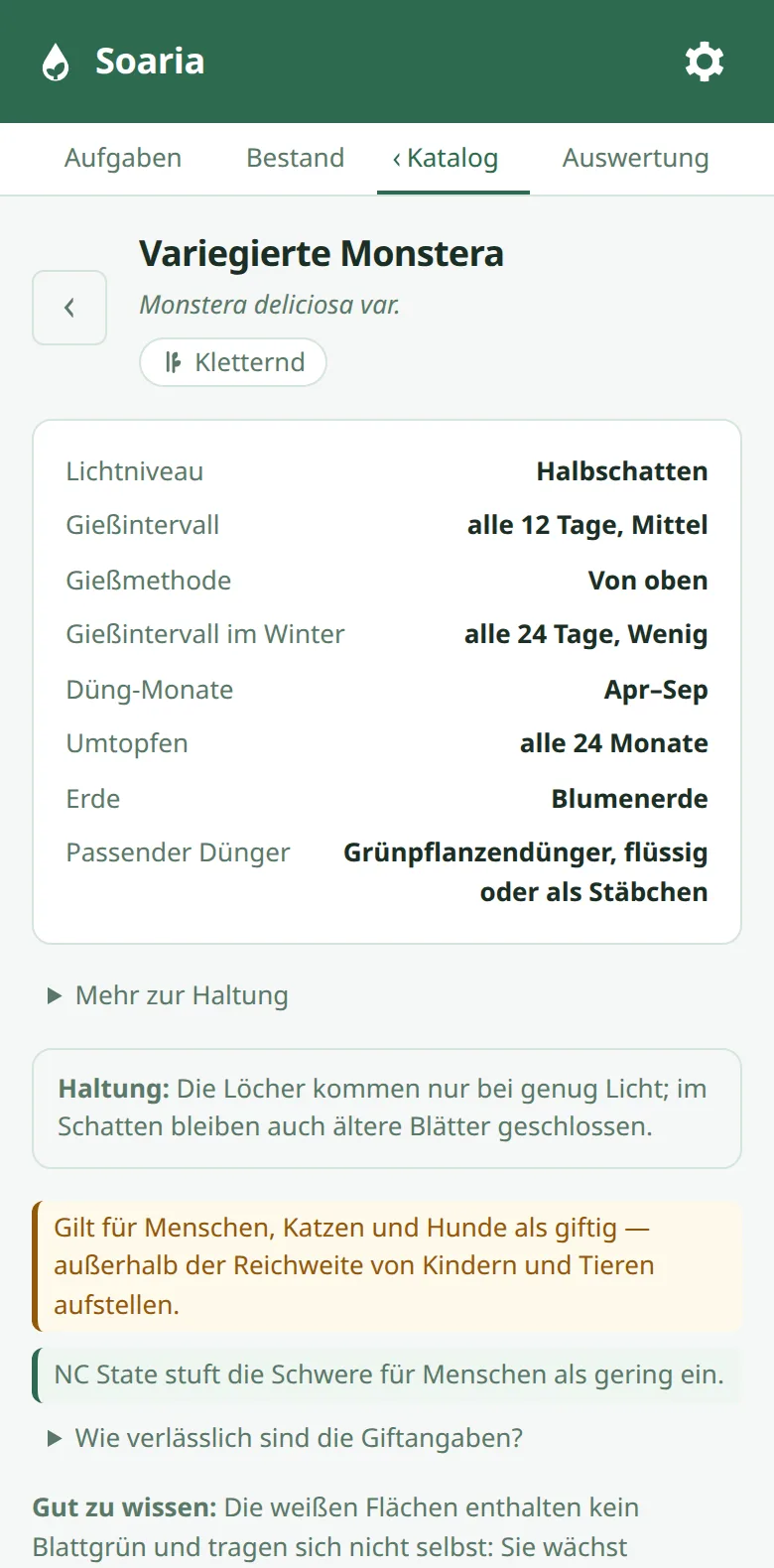
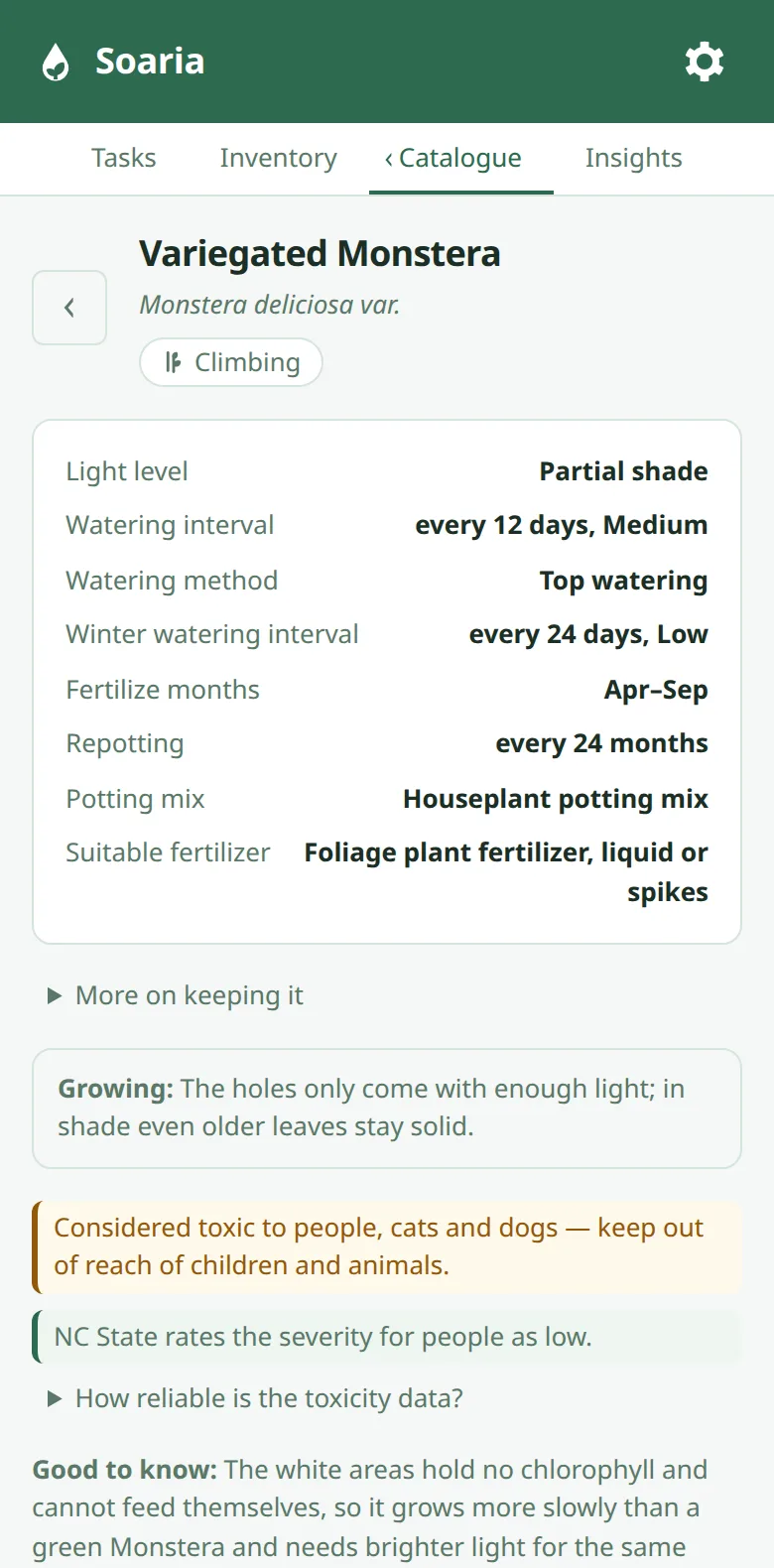
Katalog mit 52 ArtenA catalogue of 52 species
Licht, Gießen, Dünger und Erde je Art, dazu ein Satz zur Haltung; aufklappbar Mindesttemperatur, Luftfeuchte und Vermehrung. Woher die Werte kommen, steht in den FAQ. Fehlt deine Pflanze, schickst du mir ihren Namen direkt aus der App.
Light, watering, fertiliser and soil for each species, plus a care tip; expandable: minimum temperature, humidity and propagation. Where the values come from is in the FAQ. If your plant is missing, you can send me its name right from the app.
-
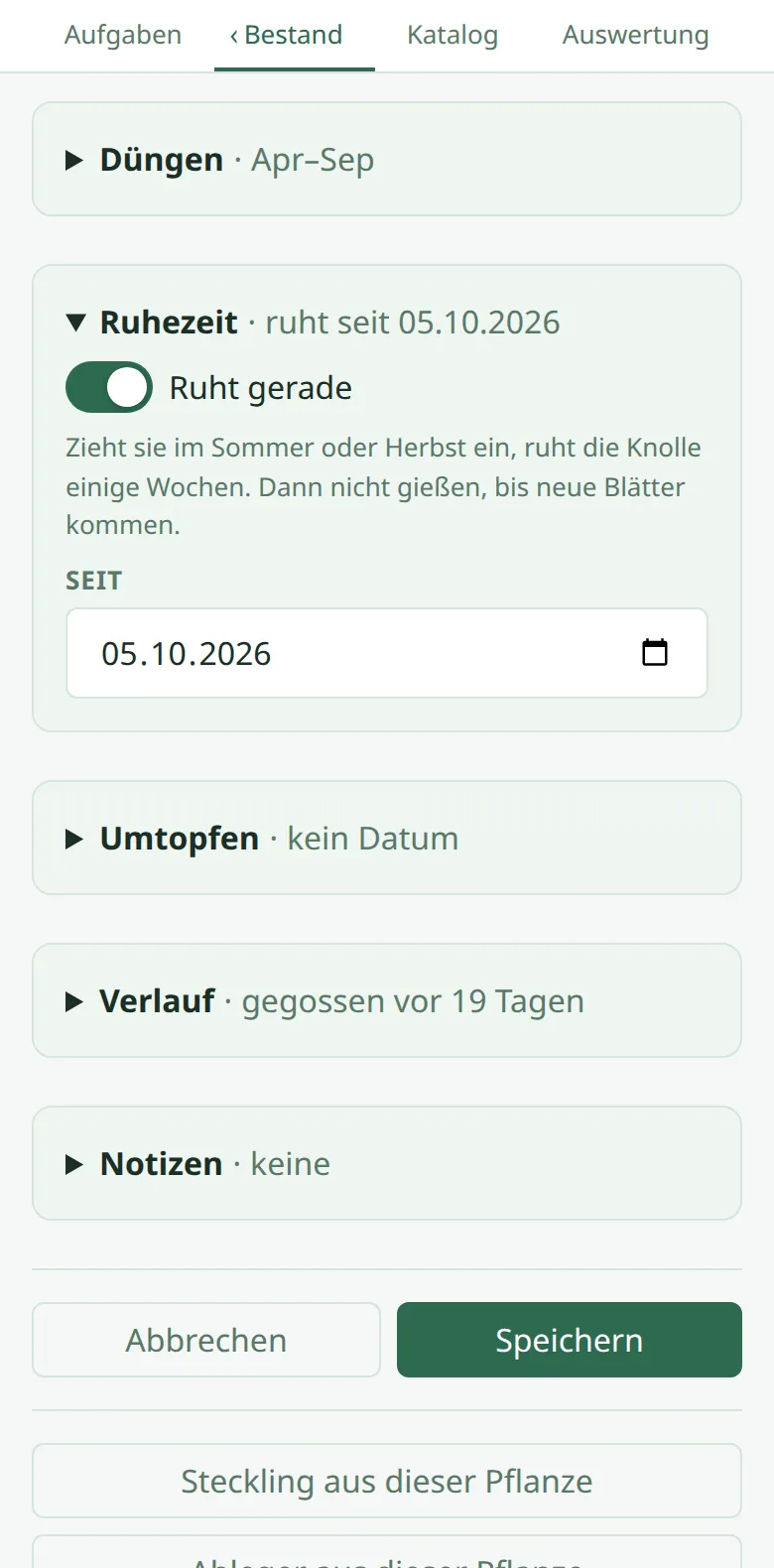
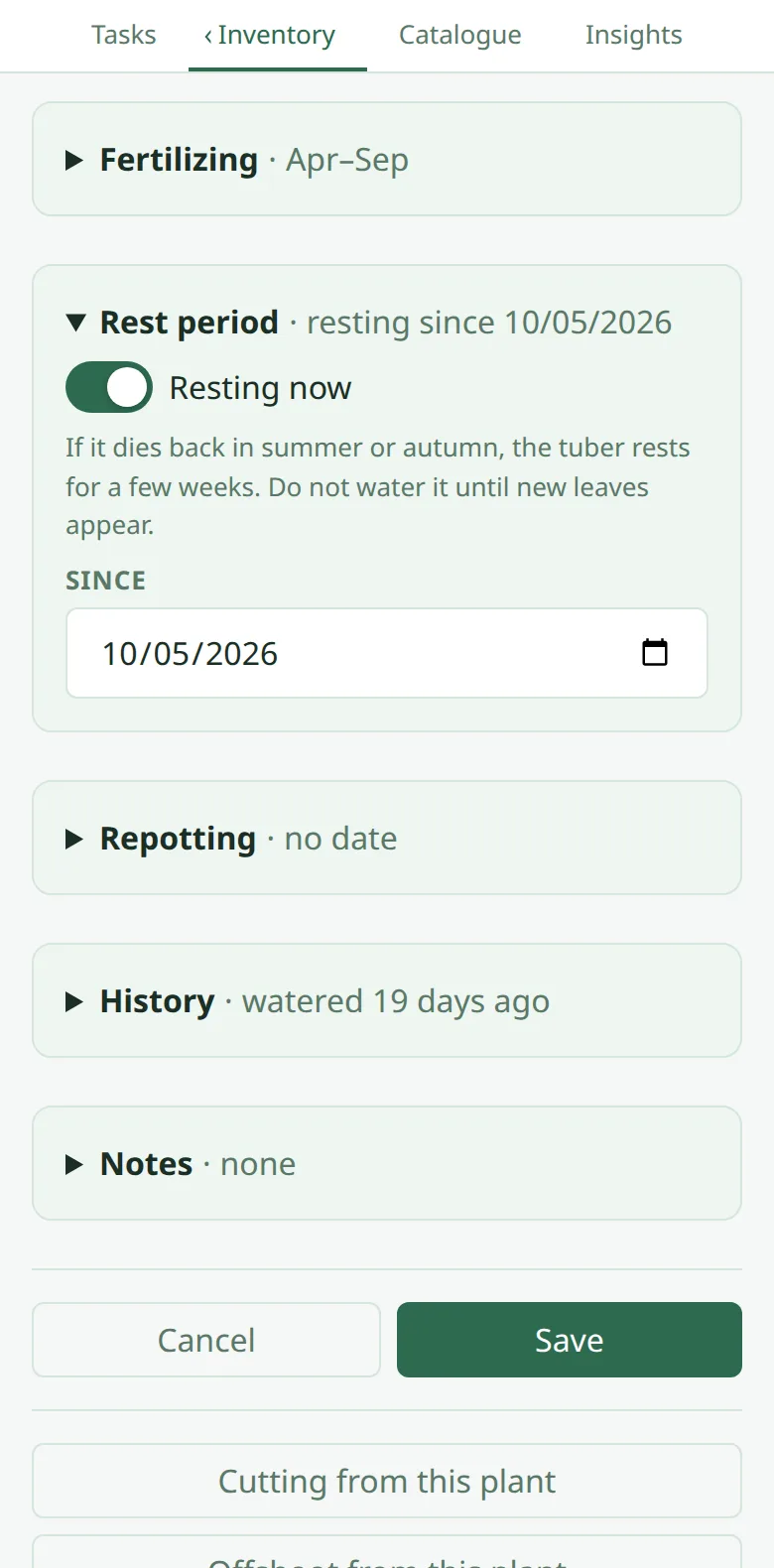
RuhezeitRest period
Mein Glücksklee zieht im Herbst ein und will dann kein Wasser. Solange er ruht, lässt Soaria ihn beim Gießen aus.
My false shamrock dies back in autumn and wants no water then. While it rests, Soaria leaves it out of the watering.
-
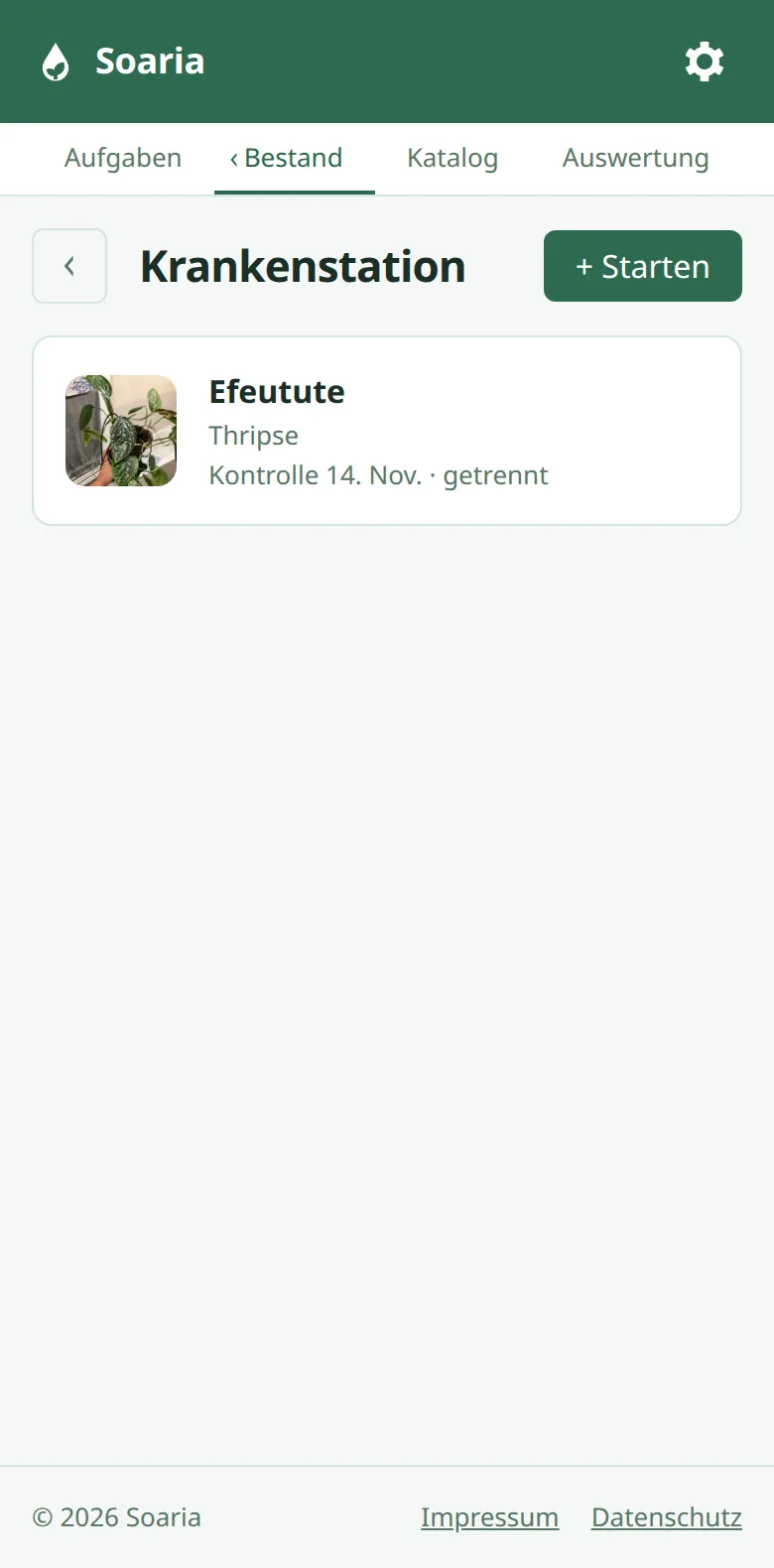
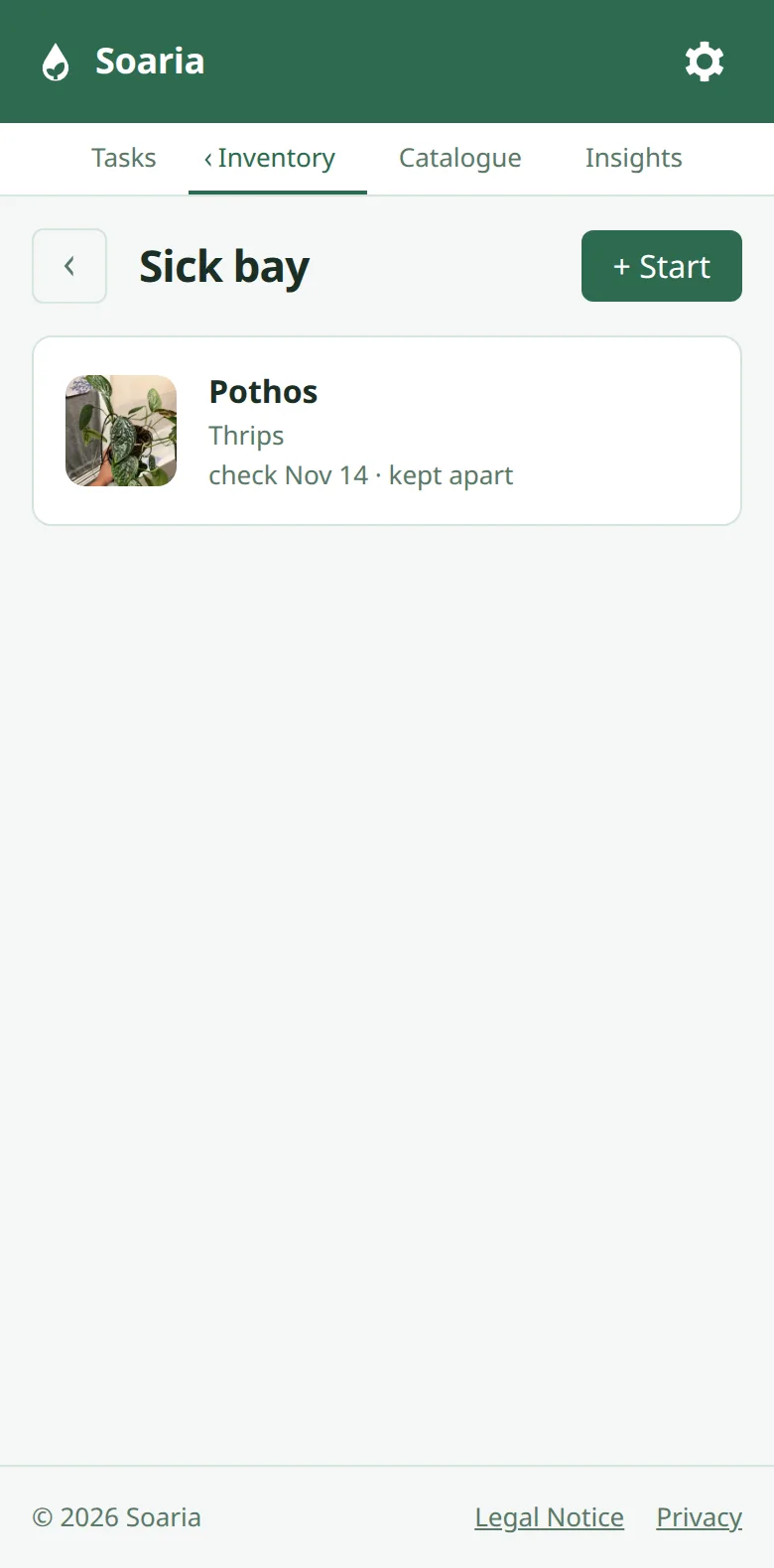
KrankenstationSick bay
Schädlinge entdeckt? Behandlung starten, Pflanze getrennt stellen, Soaria erinnert an die Kontrolle.
Found pests? Start a treatment, keep the plant apart, and Soaria reminds you to check on it.
-
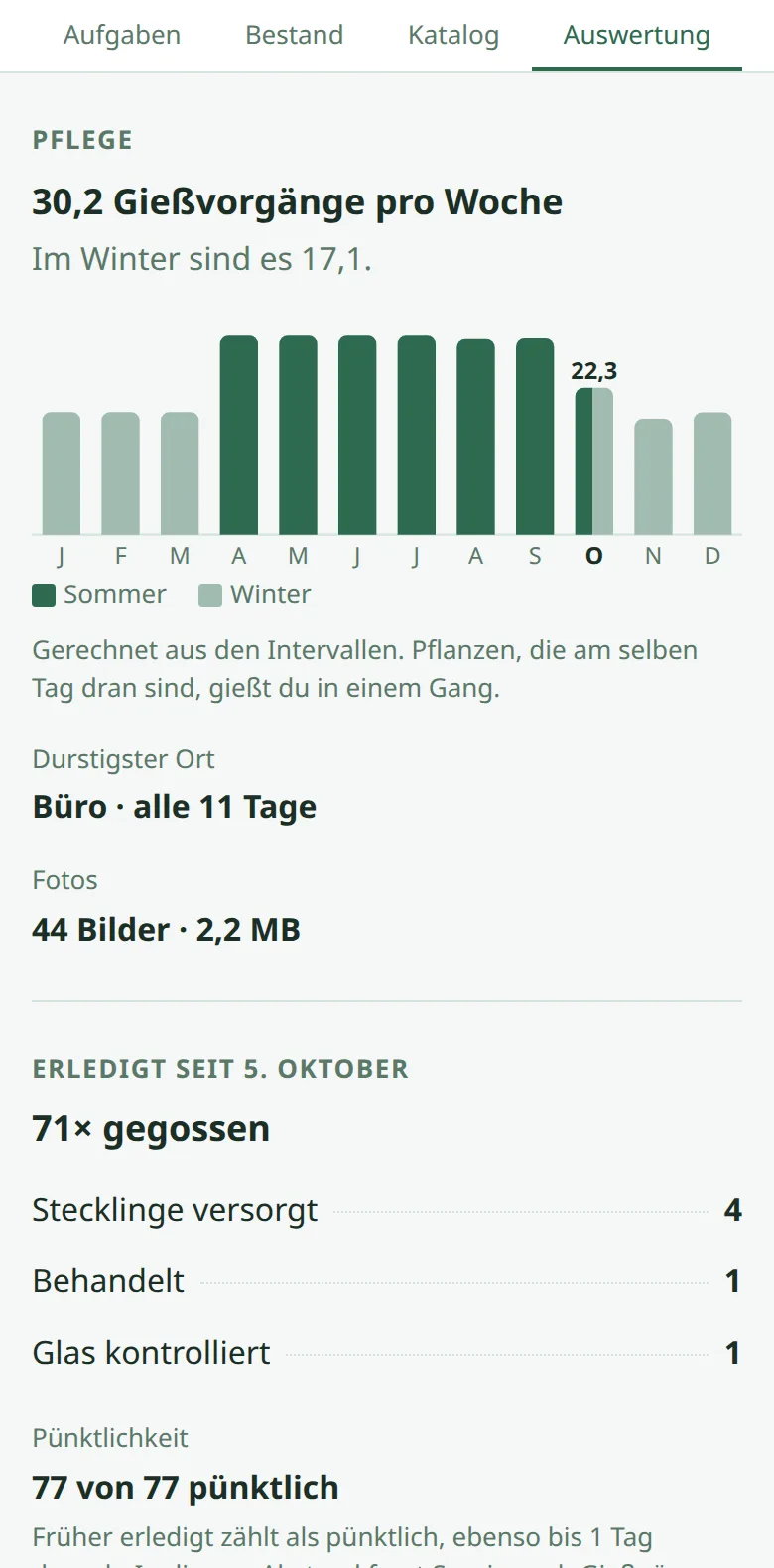
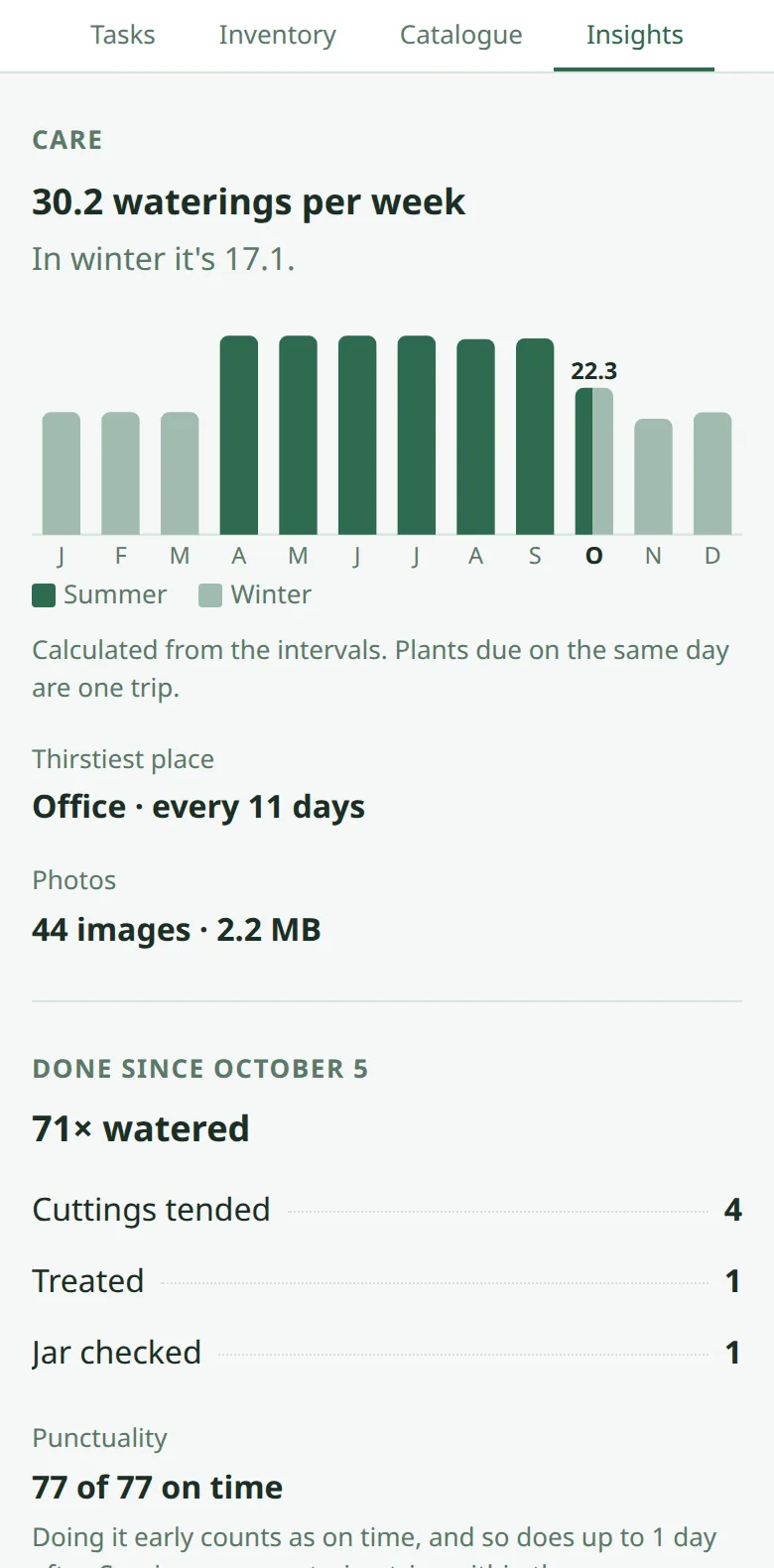
AuswertungInsights
Wie viel Gießen pro Woche übers Jahr anfällt, im Winter weniger, und wie pünktlich ich war.
How much watering each week brings across the year, less in winter, and how punctual I’ve been.
-
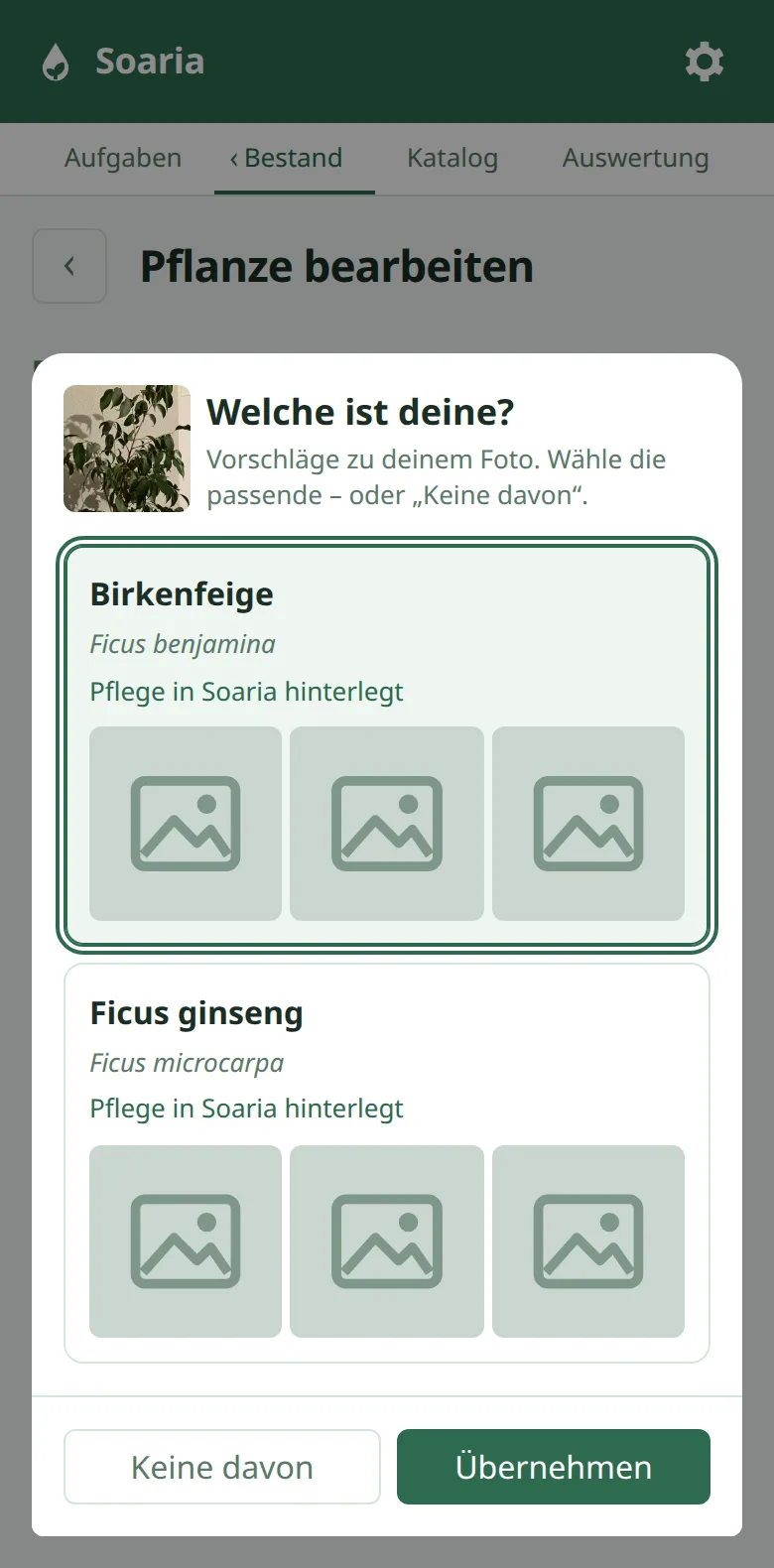
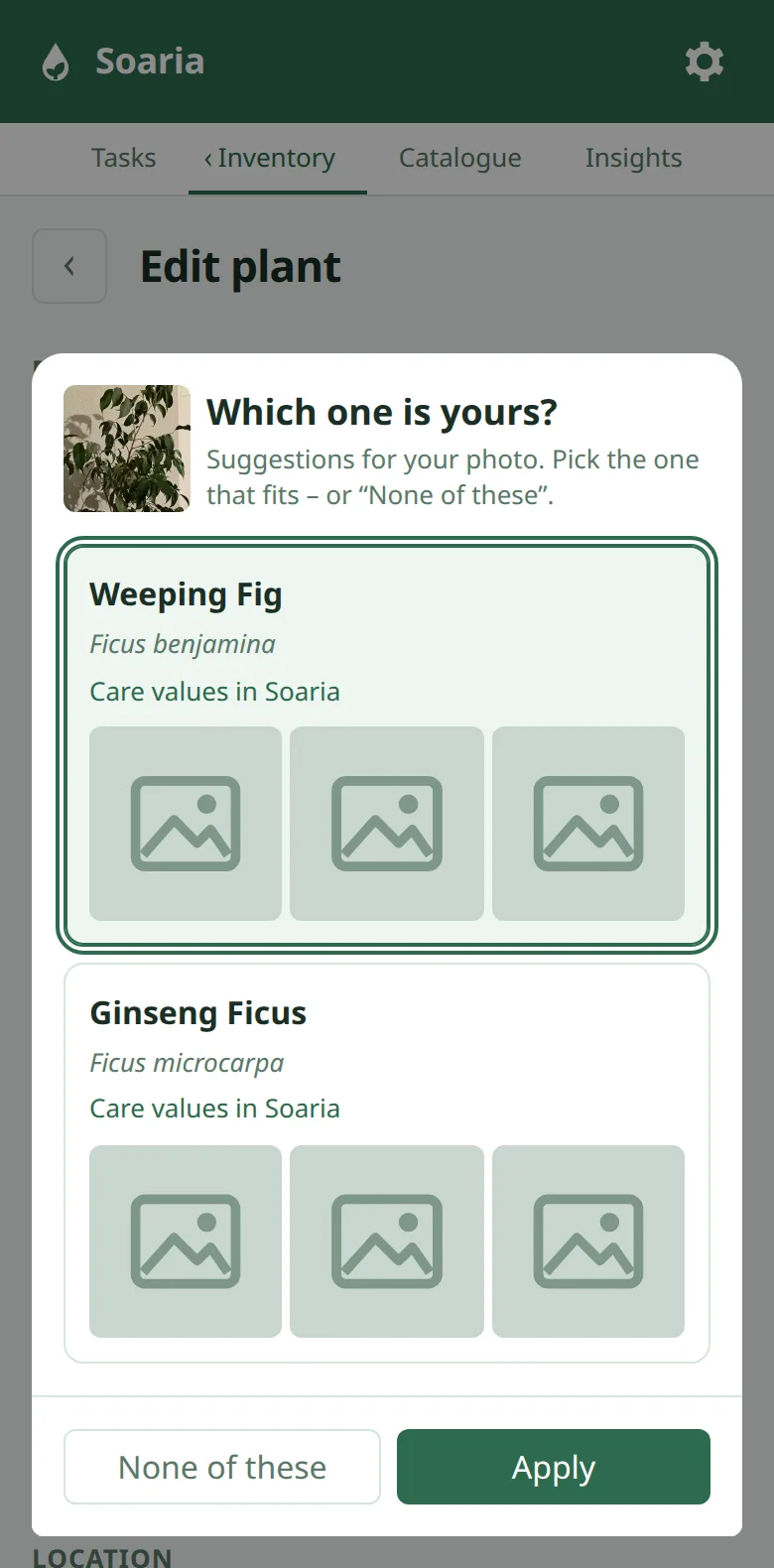
Pflanze bestimmenIdentify a plant
Foto machen, Pl@ntNet schlägt die Art vor, bei knappen Fällen mehrere mit Vergleichsbildern (hier angedeutet). Mit deinem eigenen, kostenlosen Schlüssel.
Take a photo and Pl@ntNet suggests the species, several with comparison pictures when it’s close (hinted at here). With your own free key.
-
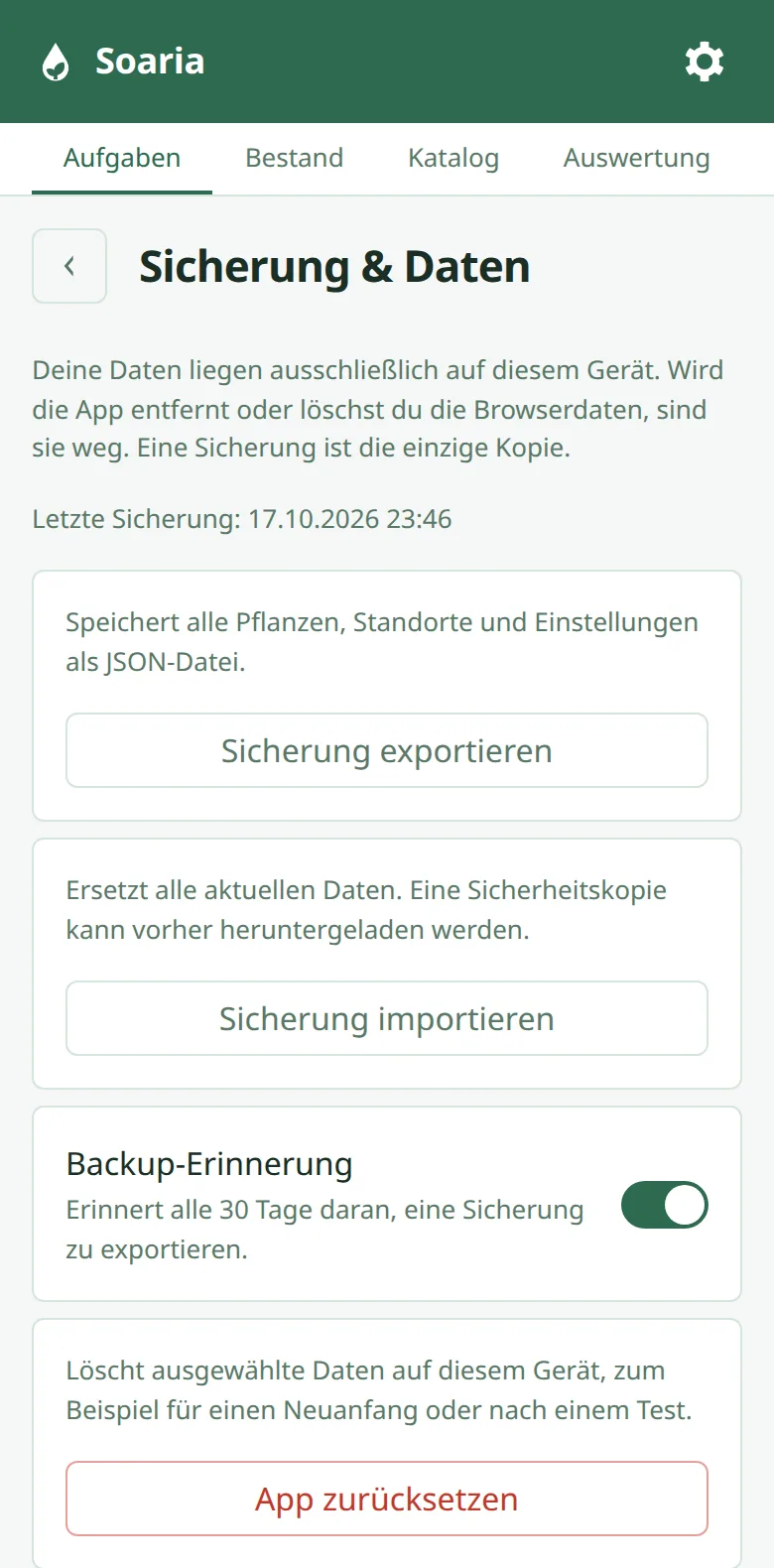
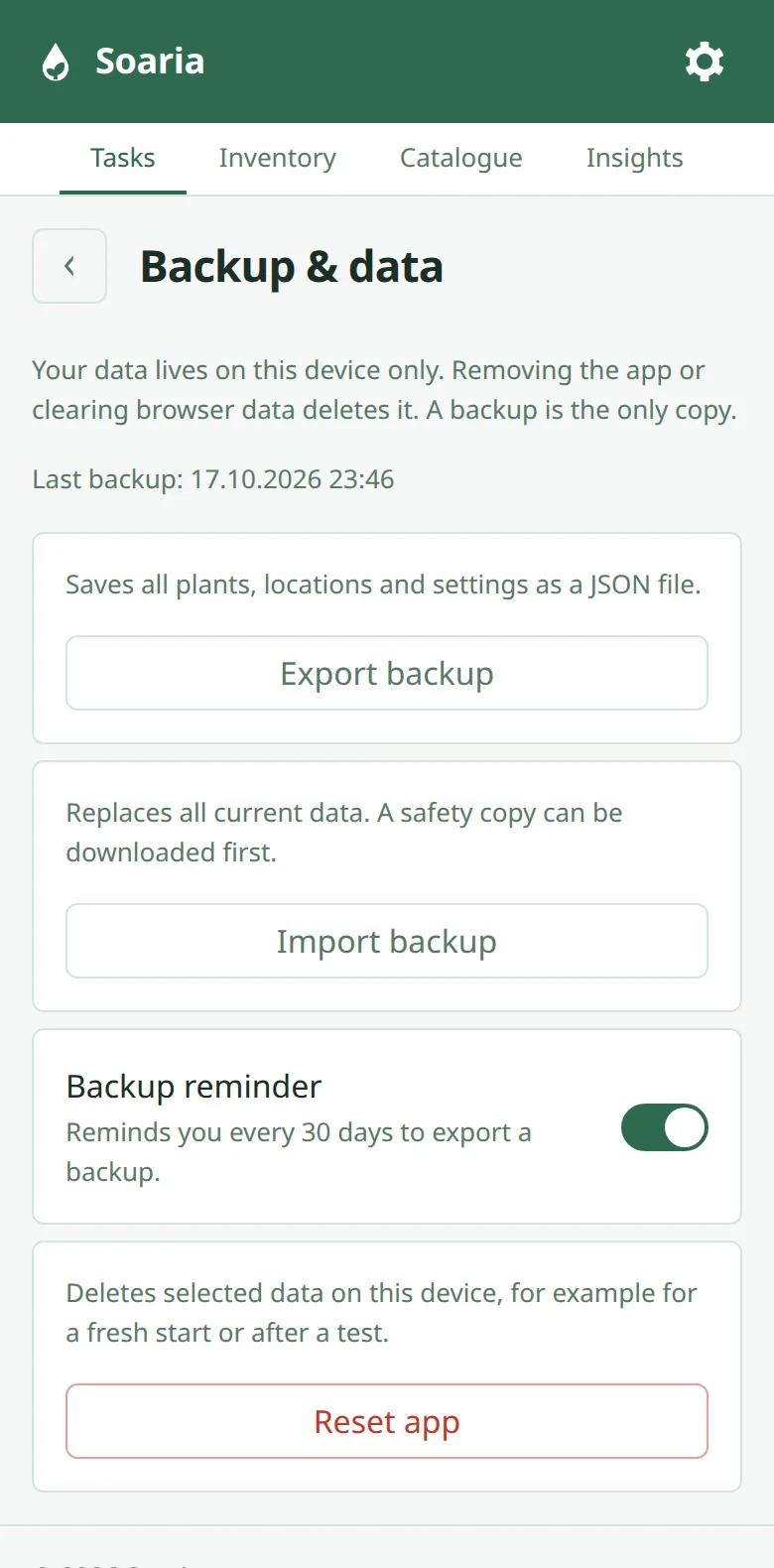
Sicherung ohne KontoBackup without an account
Alles liegt auf deinem Handy. Eine Datei sichert alles und holt es auf jedem Gerät zurück.
Everything stays on your phone. One file backs it all up and brings it back on any device.
TesteraufrufCall for testers
Ich suche 5–8 Leute, die Soaria nicht kennen. Freunde und Familie testen schon, aber die kennen mich und fragen nach, statt hängen zu bleiben. Genau das Hängenbleiben muss ich sehen.
Was ich mir wünsche
Drei kurze Berichte per Mail — wie die Installation lief, wie du deine erste Pflanze angelegt hast, und wie eine Woche Gießen nach der App war. Danach mindestens einmal pro Woche eine Rückmeldung, je nach Zeit auch öfter; ich freue mich über jede. Und fehlt eine deiner Pflanzen in Soaria, schick mir einfach ihren Namen, dann kommt sie auf meine Liste für neue Arten.
Was du bekommst
Soaria ist kostenlos. Wer aktiv testet, bekommt alles, was später etwas kostet, dauerhaft frei.
Mitmachen
Schreib mir bis Donnerstag, 12. November eine Mail an [email protected] mit zwei Antworten:
- Wie gießt du heute — nach Gefühl, nach Plan, mit einer App?
- iPhone oder Android?
Lieber erst mal ohne Mail-Adresse? Dann geht auch eine Reddit-Nachricht an u/Heiko_SoariaDev. Die Adresse brauche ich erst, wenn du dabei bist.
Am 12. November wähle ich so aus, dass verschiedene Geräte und Gewohnheiten dabei sind. Jede Bewerbung bekommt eine Antwort, auch wenn es nicht klappt. Was mit deinen Angaben passiert, steht in der Datenschutzerklärung, Abschnitt 7.
I'm looking for 5–8 people who don't know Soaria yet. Friends and family are already testing, but they know me and ask instead of getting stuck. Getting stuck is exactly what I need to see.
What I'm asking for
Three short reports by email — how the installation went, how you added your first plant, and what a week of watering with the app was like. After that, feedback at least once a week, more often if you have the time; I'm happy about every message. And if one of your plants is missing from Soaria, just send me its name and it goes on my list of new species.
What you get
Soaria is free. Active testers get everything that will cost money later, free for good.
How to join
Email me at [email protected] by Thursday, 12 November with two answers:
- How do you water today — by feel, on a schedule, with an app?
- iPhone or Android?
Rather not share your email address yet? Then a Reddit message to u/Heiko_SoariaDev works too. I only need your address once you're in.
On 12 November I'll pick a mix of different devices and habits. Every application gets a reply, even if it doesn't work out. What happens to your details is in the privacy policy, section 7.
SchnellstartQuick start
Nur Installation und Öffnen. Alles Weitere probierst du am besten ohne Anleitung.
Just installing and opening. Everything else is best tried without instructions.
iPhone
- soaria.app in Safari öffnen.
- Unten im Adressfeld links auf tippen, dann auf „Teilen“.
- Ist „Zum Home-Bildschirm“ nicht gleich zu sehen, auf „Mehr anzeigen“ tippen und etwas nach unten scrollen.
- „Zum Home-Bildschirm“ wählen, „Als Web-App öffnen“ eingeschaltet lassen und oben rechts auf „Hinzufügen“ tippen.
- Ab jetzt Soaria über das neue Symbol starten.
Hast du in den Einstellungen von Safari bei den Tabs „Unten“ oder „Oben“ gewählt, findest du „Teilen“ direkt in der Leiste.
- Open soaria.app in Safari.
- Tap at the left of the address bar, then “Share”.
- If you don’t see “Add to Home Screen” right away, tap “More” and scroll down a little.
- Choose “Add to Home Screen”, leave “Open as Web App” on and tap “Add” at the top right.
- From now on, start Soaria from the new icon.
If you’ve chosen “Bottom” or “Top” for tabs in Safari’s settings, you’ll find “Share” right in the bar.
Android
- soaria.app in Chrome öffnen.
- Oben rechts auf tippen, dann auf „Installieren und Verknüpfung erstellen“.
- „Installieren“ wählen. „Verknüpfung erstellen“ öffnet Soaria nur in Chrome.
- Im Fenster „App installieren“ noch einmal auf „Installieren“ tippen.
- Ab jetzt Soaria über das neue Symbol starten.
Die Schritte gelten für Chrome. Nutzt du einen anderen Browser, etwa Samsung Internet, öffne soaria.app zum Installieren am besten in Chrome.
- Open soaria.app in Chrome.
- Tap at the top right, then “Install and create shortcut”.
- Choose “Install”. The shortcut option only opens Soaria in Chrome.
- Confirm with “Install”.
- From now on, start Soaria from the new icon.
These steps are for Chrome. If you use another browser, such as Samsung Internet, open soaria.app in Chrome to install it.
Gedacht ist Soaria fürs Handy, am Rechner geht alles außer der Kamera. Mit eigenem Fenster und Symbol geht es so:
Soaria is meant for your phone; on a computer everything works except the camera. To give it its own window and icon:
Chrome, Chromium
- Oben rechts auf klicken.
- „Streamen, speichern und teilen“ und dann „Soaria – Zimmerpflanzenpflege installieren…“ wählen.
- Die Rückfrage mit „Installieren“ bestätigen.
- Erscheint „Tab in App öffnen“, darauf klicken. Ab jetzt Soaria über das neue Symbol starten.
Schneller geht es rechts in der Adressleiste: Dort steht der Knopf „Installieren“ oder nur das Symbol .
- Click at the top right.
- Choose “Cast, save, and share”, then “Install Soaria – Zimmerpflanzenpflege…”.
- Confirm with “Install”.
- If you’re offered to open the tab in the app, accept. From now on, start Soaria from the new icon.
It’s quicker at the right of the address bar: there’s an “Install” button or just the icon.
Edge
- Rechts in der Adressleiste auf das Symbol „App verfügbar“ klicken.
- Auf „Installieren“ klicken.
Fehlt das Symbol, geht es über „Einstellungen und mehr“ oben rechts → „Weitere Tools“ → „Apps“ → die Website als App installieren.
- Click the “App available” icon at the right of the address bar.
- Click “Install”.
Without the icon, go to “Settings and more” at the top right → “More tools” → “Apps” → “Install this site as an app”.
Firefox
Windows: Ab Version 143 in der Adressleiste auf „Tab zur Taskleiste hinzufügen“ klicken.
Linux und Mac: Hier bietet Firefox das Installieren zurzeit nicht an. Setz dir ein Lesezeichen, Soaria läuft auch als ganz normale Seite. Ein eigenes Fenster bekommst du nur über einen anderen Browser, etwa Chrome.
Windows: From version 143, click “Add tab to taskbar” in the address bar.
Linux and Mac: Firefox doesn’t offer installing here at the moment. Just add a bookmark; Soaria also works as a plain web page. For a window of its own you need another browser, such as Chrome.
Safari am MacSafari on a Mac
- In der Menüleiste „Ablage“ → „Zum Dock hinzufügen“ wählen, oder „Teilen“ → „Zum Dock hinzufügen“.
- Auf „Hinzufügen“ klicken.
Geht ab macOS Sonoma.
- In the menu bar, choose “File” → “Add to Dock”, or “Share” → “Add to Dock”.
- Click “Add”.
Works from macOS Sonoma on.
Andere BrowserOther browsers
Setz dir einfach ein Lesezeichen. Soaria läuft auch als ganz normale Seite.
Just add a bookmark. Soaria also works as a plain web page.
Danach einfach loslegen. Wenn du hängen bleibst, ist genau das die Rückmeldung, die ich brauche.
Then just get started. If you get stuck, that's exactly the feedback I need.
Häufige FragenFrequently asked questions
Wie verdient Soaria Geld?How does Soaria make money?
Im Moment gar nicht. Soaria ist kostenlos, ohne Werbebanner und ohne Abo. Wird später ein kleines Nebeneinkommen daraus, dann ohne Abo und ohne Werbebanner. Wie genau, entscheide ich nach der Testphase, wenn ich weiß, was den Leuten wirklich etwas wert ist. Später können gekennzeichnete Empfehlungslinks dazukommen, etwa zu Erde oder Dünger; bezahlt wird dabei nur der Shop, nicht du. Wer für Soaria bezahlt, sieht sie nicht. Fest steht: Wer aktiv testet, bekommt alles, was später etwas kostet, dauerhaft frei.
Right now, not at all. Soaria is free, with no banner ads and no subscription. If it turns into a little side income later, it'll still be without a subscription and without banner ads. How exactly, I'll decide after the test phase, once I know what people actually value. Labelled recommendation links may be added later, for example to soil or fertiliser; the shop pays for those, not you. Anyone who pays for Soaria won't see them. One thing is settled: active testers get everything that will cost money later, free for good.
Wo liegen meine Daten?Where is my data stored?
Mir ist Datensparsamkeit selbst wichtig: Ich traue Diensten nicht, die mehr über mich wissen könnten, als sie brauchen, auch wenn sie es vielleicht nie ausnutzen. Deshalb ist Soaria so gebaut, dass ich deine Daten gar nicht erst bekomme. Sie liegen auf deinem Handy, nirgends sonst. Soaria hat kein Konto und keinen Server für deine Pflanzen; alles liegt in der Datenbank deines Browsers. Wie du die App nutzt, erfahre ich nicht — es gibt keine Statistik und kein Tracking. Zwei Ausnahmen schaltest du selbst ein: Die Pflanzenerkennung schickt ein Foto direkt an Pl@ntNet (nicht an mich), und für Erinnerungen speichere ich je Gerät eine Abo-Adresse und einen Zeitpunkt — keine Pflanzen, keine Namen. Daraus zähle ich einmal pro Woche nur, wie viele Geräte Erinnerungen eingeschaltet haben. Die Kehrseite: Löschst du die App oder die Browserdaten, sind deine Pflanzen weg. Dafür gibt es die Sicherung in den Einstellungen.
Mehr in der Datenschutzerklärung (Abschnitte 2, 4 und 5).
Data minimisation matters to me personally: I don't trust services that could know more about me than they need to, even if they might never use it. That's why Soaria is built so that I never get your data in the first place. It stays on your phone, nowhere else. Soaria has no account and no server for your plants; everything lives in your browser's database. I don't learn how you use the app — there are no statistics and no tracking. You switch on two exceptions yourself: plant identification sends a photo directly to Pl@ntNet (not to me), and for reminders I store a subscription address and a time per device — no plants, no names. From that, once a week, I only count how many devices have reminders switched on. The flip side: if you delete the app or your browser data, your plants are gone. That's what the backup in the settings is for.
More in the privacy policy (sections 2, 4 and 5).
Warum brauche ich einen eigenen Pl@ntNet-Schlüssel?Why do I need my own Pl@ntNet key?
Damit die Erkennung kostenlos bleibt — für dich und für mich. Pl@ntNet ist ein Forschungsprojekt aus Frankreich und erlaubt mit eigenem Schlüssel 500 Erkennungen am Tag kostenlos. Ich hätte die Erkennung über meinen Schlüssel in den Kaufpreis einrechnen können; dann müsste ich einen Server betreiben, über den dein Foto läuft, und alle Nutzer teilten sich ein Tageskontingent. So geht dein Foto direkt von deinem Handy an Pl@ntNet, ich sehe weder Foto noch Schlüssel. Der Preis ist eine Registrierung bei Pl@ntNet und eine Einstellung dort — die App führt dich hindurch und prüft am Ende, ob der Schlüssel funktioniert. Ohne Schlüssel findest du deine Pflanze über die Suche.
So that identification stays free — for you and for me. Pl@ntNet is a French research project and allows 500 free identifications a day with your own key. I could have run identification through my key and built it into a purchase price; then I'd have to run a server your photo passes through, and all users would share one daily quota. This way your photo goes straight from your phone to Pl@ntNet, and I see neither the photo nor the key. The price is signing up with Pl@ntNet and one setting there — the app walks you through it and checks at the end whether the key works. Without a key, you find your plant using the search.
Warum über den Home-Bildschirm und nicht im App Store?Why the home screen and not the App Store?
Soaria ist eine Web-App: Sie läuft im Browser, du installierst sie aber wie eine App auf den Home-Bildschirm. Das hat drei Gründe. Erstens Erinnerungen: Am iPhone bekommt eine Web-App Mitteilungen nur, wenn sie vom Home-Bildschirm startet. Zweitens deine Daten: Safari löscht die Daten einer Website, wenn du Safari sieben Tage lang benutzt hast, ohne sie zu öffnen; für Apps auf dem Home-Bildschirm gilt das nicht. Drittens: Sie startet ohne Adressleiste und ohne Netz.
Im App Store ist Soaria nicht, weil das Gebühren und eine eigene App je System kostet. Eine Web-App läuft aus demselben Code auf iPhone, Android und am Rechner, dort einfach im Browser. So kann ich als Einzelner alle Systeme bedienen. Werkzeuge wie Flutter, die aus einem Code Apps für Handy und Rechner machen, kenne ich. Diese Apps müssten aber durch die App Stores oder auf jedem Gerät eigens installiert werden. Soaria läuft überall, wo ein Browser läuft: Am Handy vom Home-Bildschirm, am Rechner einfach als Seite. Das war mir wichtiger.
Soaria is a web app: it runs in the browser, but you install it on your home screen like an app. There are three reasons. First, reminders: on the iPhone, a web app only gets notifications when it's started from the home screen. Second, your data: Safari deletes a website's data once you've used Safari for seven days without opening that site; apps on the home screen are exempt. Third: it starts without an address bar and without a connection.
Soaria isn't in the App Store because that means fees and a separate app for each system. A web app runs from the same code on iPhone, Android and computers, where it simply runs in the browser. That way, on my own, I can support every system. I know tools like Flutter that build phone and desktop apps from one codebase. But those apps would have to go through the app stores or be installed separately on each device. Soaria runs wherever a browser runs: from the home screen on your phone, as a simple web page on your computer. That mattered more to me.
Wie entsteht Soaria, auch mit KI?How is Soaria made, and what about AI?
Ich baue Soaria mit Claude, einer KI von Anthropic, die den Code schreibt. Was gebaut wird und wie es sich verhält, entscheide ich — oft nach einem Vergleich von zwei, drei Entwürfen, die ich mir als Bild ansehe. Jede Regel, nach der Soaria Gießtage berechnet, ist mit automatischen Tests abgesichert (zurzeit über 1 600), jede sichtbare Änderung wird in zwei Browsern geprüft, und was sich nur am Gerät zeigt, probiere ich an meinem iPhone selbst aus. Jede Entscheidung ist mit Begründung aufgeschrieben. Welche Pflegeangaben aus Quellen stammen und welche nicht, steht in der Frage zu den Pflegeangaben.
I build Soaria with Claude, an AI by Anthropic that writes the code. What gets built and how it behaves is my decision — often after comparing two or three drafts that I look at as pictures. Every rule Soaria uses to work out watering days is covered by automated tests (currently over 1,600), every visible change is checked in two browsers, and anything that only shows on a real device I try out on my own iPhone. Every decision is written down with its reasoning. Which care data comes from sources and which doesn't is in the question about care data.
Warum ist die Lichtmessung so umständlich?Why is measuring light so cumbersome?
Weil dein Handy das Licht messen könnte, eine Web-App aber nicht herankommt.
- Der Lichtsensor, mit dem das Handy die Bildschirmhelligkeit regelt, ist für Web-Apps gesperrt. Nur Firefox unter Android gibt ihn frei — laut caniuse rund 0,4 % der Nutzer.
- Die Kamera hilft im Browser kaum: Safari am iPhone gibt einer Web-App weder Belichtungszeit noch ISO (am iPhone SE geprüft, iOS 18.7). Die Helligkeit des Bildes misst kein Licht — die Automatik gleicht aus, die dunkle Zimmerecke sieht fast so hell aus wie das Fenster.
- Auch ein Luxmeter misst nur einen Moment — Sonne oder Wolken, Mittag oder Abend, und die Richtung. Zum Fenster gehalten zeigte es bei mir drei- bis fünfmal so viel wie flach. Deshalb fragt Soaria nach dem Datum.
Darum bietet Soaria drei einfache Wege statt einer Messung: Drei Fragen zum Fenster (Richtung, Abstand, Hindernis — nach Faustregeln von Universitäten aus den USA), den Schattentest mit der Hand, und, wer ein Luxmeter hat, einen Lux-Wert. Am Platz misst du einmal für alle Pflanzen, die dort stehen. Genauer wird es mit einem Luxmeter (gibt es ab etwa 20 €) oder mit einer Lichtmesser-App, die mit einem Diffusor vor der Frontkamera misst — eine App aus dem App Store darf die Kamera so steuern, eine Web-App nicht.
Because your phone could measure light, but a web app can't get at it.
- The light sensor your phone uses to adjust screen brightness is locked for web apps. Only Firefox on Android exposes it — about 0.4% of users, according to caniuse.
- The camera barely helps in the browser: Safari on the iPhone gives a web app neither exposure time nor ISO (checked on an iPhone SE, iOS 18.7). The brightness of the picture doesn't measure light — auto exposure compensates, and the dark corner of the room looks almost as bright as the window.
- Even a lux meter only measures a moment — sun or clouds, noon or evening, and the direction. Held towards the window, mine showed three to five times as much as when held flat. That's why Soaria asks for the date.
So instead of a measurement, Soaria offers three simple ways: three questions about the window (direction, distance, obstacles — based on rules of thumb from US universities), the hand shadow test, and, if you have one, a lux reading. You measure once per spot, for all the plants standing there. It gets more accurate with a lux meter (from about €20) or with a light meter app that measures with a diffuser in front of the front camera — an app from the App Store may control the camera that way, a web app may not.
Funktioniert Soaria ohne Internet?Does Soaria work offline?
Ja. Nach dem ersten Öffnen liegt die App auf deinem Handy; Gießen, Abhaken und Pflanzen anlegen gehen ohne Netz. Netz brauchen nur die Pflanzenerkennung und die Erinnerungen.
Yes. After you open it for the first time, the app lives on your phone; watering, ticking off and adding plants all work offline. Only plant identification and reminders need a connection.
Was passiert mit meinen Pflanzen, wenn ich das Handy wechsle oder aufhöre?What happens to my plants if I switch phones or stop using Soaria?
In den Einstellungen unter „Sicherung & Daten“ → „Sicherung exportieren“ speicherst du alles als Datei, mit Fotos, und liest sie auf dem neuen Gerät über „Sicherung importieren“ wieder ein. Ohne Sicherung gibt es keinen Weg zurück, weil ich deine Daten nicht habe. Hörst du auf, löschst du die App — dann ist alles weg, auch bei mir gibt es nichts zu löschen. Erinnerungen vorher ausschalten; sonst lösche ich die Abo-Adresse spätestens nach 60 Tagen.
In the settings under “Backup & data” → “Export backup” you save everything as a file, photos included, and load it on the new device with “Import backup”. Without a backup there's no way back, because I don't have your data. If you stop, you delete the app — then everything is gone, and there's nothing to delete on my side either. Switch reminders off first; otherwise I delete the subscription address after 60 days at the latest.
Meine Pflanze ist nicht in der Liste.My plant isn't on the list.
Soaria kennt zurzeit 52 Arten mit eigenen Pflegeangaben, darunter die häufigsten Zimmerpflanzen. Fehlt deine, legst du sie trotzdem an und stellst den Gießrhythmus selbst ein. Die Erkennung findet auch Arten außerhalb der Liste und kennzeichnet sie mit „Noch nicht in Soaria – Startwerte, anpassbar“.
Soaria currently knows 52 species with their own care data, including the most common houseplants. If yours is missing, you add it anyway and set the watering rhythm yourself. Identification also finds species outside the list and marks them “Not in Soaria yet – starting values, adjustable”.
Woher kommen die Pflegeangaben?Where does the care data come from?
Zum Teil aus Quellen, zum Teil aus Vorsicht, und ich sage dir, was was ist. Belegt sind, mit Zitat aus Merkblättern von Universitäten und botanischen Gärten (vor allem NC State, Clemson und die Royal Horticultural Society) und der ASPCA: Giftigkeit für Menschen, Katzen und Hunde, weitere Namen, Dünger und Düngemonate, Wuchsform, passende Erde, Licht, wie trocken die Erde vor dem Gießen werden darf und, wo eine Quelle sie nennt, Mindesttemperatur, Luftfeuchte und Vermehrung. Die Gießabstände sind Startwerte, eher zu lang als zu kurz, weil zu viel Wasser die häufigste Todesursache von Topfpflanzen ist. Eine Zahl in Tagen fand ich nur bei 13 von 52 Arten, sonst nennen die Quellen eine Regel wie „gießen, wenn die oberen 2–3 cm trocken sind“. Genau so arbeitet Soaria: Der Abstand sagt, wann du nachsiehst, die Zeile darunter, worauf du achtest, und mit „Noch feucht“ passt sich der Abstand an deine Pflanze an. Für den Winter belegen die Quellen fast immer nur, dass weniger gegossen wird, nicht wie viel weniger; der Winterabstand bleibt deshalb meist ein Startwert. Alle Werte sind einmal gegen die Quellen geprüft, was keine Quelle hergibt, ist als „ohne Quelle“ vermerkt. Die KI sucht mit, entscheidet aber nicht. Übernommen wird nur, was in der Quelle wörtlich steht.
Partly from sources, partly from caution, and I'll tell you which is which. Backed by sources, quoted from fact sheets by universities and botanic gardens (mainly NC State, Clemson and the Royal Horticultural Society) and the ASPCA: toxicity to people, cats and dogs, other names, fertiliser and fertilising months, growth form, suitable soil, light, how dry the soil may get before watering and, where a source gives them, minimum temperature, humidity and propagation. The watering intervals are starting values, on the long side rather than the short, because too much water is the most common cause of death for potted plants. I found a number in days for only 13 of 52 species; otherwise the sources give a rule like “water when the top inch is dry”. That's exactly how Soaria works: the interval says when to check, the line below it what to look for, and with “Still moist” the interval adapts to your plant. For winter the sources nearly always say only that you water less, not how much less, so the winter interval mostly stays a starting value. All values have been checked against the sources once, and anything no source supports is marked “no source”. The AI helps search but doesn't decide. Only what the source says word for word is taken over.
Bekomme ich Erinnerungen?Do I get reminders?
Wenn du willst: In den Einstellungen schaltest du Mitteilungen ein, dann meldet sich Soaria an den Tagen, an denen etwas fällig ist. Am iPhone geht das nur, wenn Soaria vom Home-Bildschirm startet (siehe oben). Die App funktioniert auch ohne — die Aufgabenliste zeigt dir beim Öffnen, was heute dran ist.
If you want them: switch on notifications in the settings, and Soaria will let you know on days when something is due. On the iPhone this only works when Soaria is started from the home screen (see above). The app works without them too — the task list shows you what's due today when you open it.